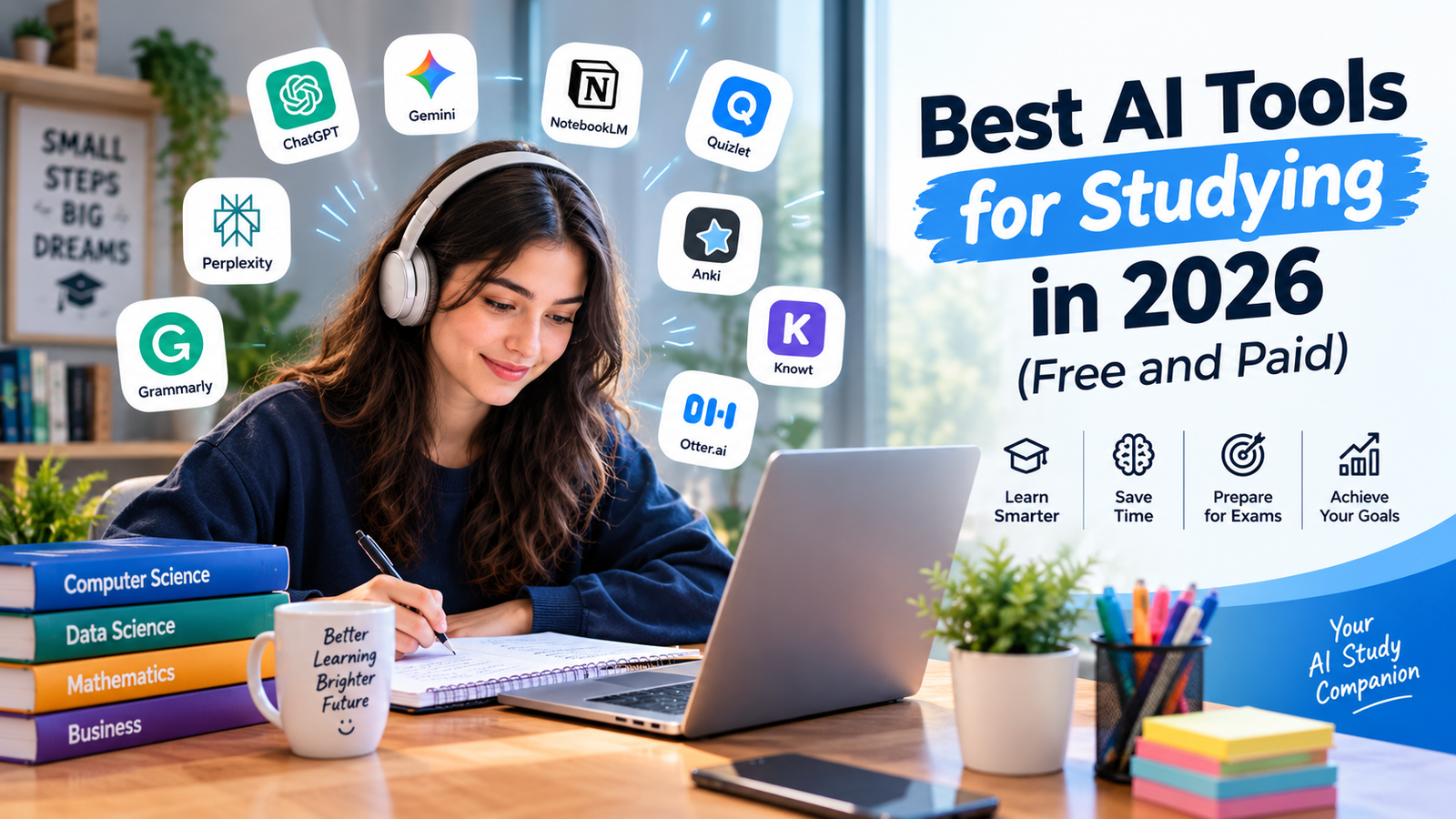
Studying in 2026 is no longer limited to reading textbooks, highlighting important paragraphs, and creating handwritten notes. Artificial intelligence has introduced new ways for students to understand difficult concepts, organize information, prepare for examinations, and improve their academic performance. From AI-powered tutors to intelligent note-taking applications, students can now use digital tools to make their study routines more organized and productive.
However, finding the right tools can be challenging. Some applications are excellent at explaining complex subjects, while others specialize in generating flashcards, summarizing lengthy documents, or creating practice tests. Certain platforms offer useful features without charge, whereas others require a subscription for advanced functionality.
The best AI tools for studying are not necessarily the ones with the most features. They are the ones that help you understand information, remember what you learn, and apply your knowledge independently.
In this guide, we explore the best AI tools for students in 2026, including free AI tools for studying, premium learning platforms, AI homework helpers, research assistants, and exam preparation applications. We also explain their main advantages, limitations, and practical uses for high school students, college learners, and university students in the United States.
Whether you are preparing for a difficult science examination, researching a college assignment, learning a new programming language, or managing a demanding university schedule, this comparison will help you choose the right AI study tools for your needs.
Quick Overview: Best AI Tools for Studying in 2026
Here is a quick look at some of the most useful AI-powered learning applications.
| AI Tool | Best For | Free Option | Paid Option |
|---|---|---|---|
| NotebookLM / Gemini Notebook | Studying from your own documents | Yes, with usage limits | Expanded access through eligible plans |
| ChatGPT | Explanations and personalized tutoring | Yes | ChatGPT paid plans |
| Quizlet | Flashcards and practice tests | Yes, with feature limits | Quizlet Plus |
| Knowt | AI flashcards, notes, and quizzes | Yes, with feature limits | Premium options |
| StudyFetch | Course materials and AI tutoring | Free entry option | Paid plans available |
| Perplexity | Online research and source discovery | Yes | Pro and student-oriented options, subject to eligibility |
| Anki | Long-term memorization | Desktop version and AnkiWeb are free | Some official mobile app versions are paid |
| Grammarly | Grammar and academic writing feedback | Yes | Grammarly Pro |
| Otter.ai | Lecture transcription and searchable notes | Limited free plan | Paid plans |
| Google Gemini | General explanations and brainstorming | Yes | Google AI subscription plans |
Note: Free features, usage limits, subscription names, and pricing can change. Check each provider’s official website before purchasing a plan.
1. NotebookLM: Best for Studying from Your Own Materials
NotebookLM, also associated with Google’s Gemini Notebook updates in 2026, is one of the strongest choices for students who want to study from their own course materials rather than rely entirely on general internet answers.
Instead of simply asking an AI chat-bot a question, you can provide relevant sources, such as lecture notes, PDFs, readings, and course documents. The tool can then help you explore those materials, organize the important information, and create study resources.
Google has highlighted features including AI-generated flashcards, quizzes, and audio-based learning resources. Its September 2026 update also introduced additional study-oriented capabilities. Availability can depend on the account and plan you use. Read Google’s official update.
Key features
- Summarizing uploaded readings and documents.
- Answering questions about supplied study materials.
- Producing study guides, flashcards, and quizzes.
- Helping students review difficult topics through audio-based summaries.
- Organizing information from multiple sources in one workspace.
How students can use it
Imagine you are taking an introductory biology course at an American university. Your professor provides three lecture presentations and a lengthy chapter about cell division.
You can collect the relevant materials in NotebookLM and ask it to identify the differences between mitosis and meiosis. Next, request a comparison table, a glossary of important terms, and ten practice questions based on the supplied documents.
This approach can be particularly helpful when a course contains a large amount of reading or uses terminology that must be remembered accurately.
Free vs. paid
The free option is a sensible starting point for students. Eligible paid plans may provide higher usage limits or additional capabilities, but students should verify the current benefits before subscribing.
Best for: College students, research-heavy courses, textbook readings, and document-based revision.
2. ChatGPT: Best for Personalized AI Tutoring
ChatGPT is one of the most versatile AI tools for studying because students can use it for explanations, problem-solving practice, brainstorming, language learning, and exam preparation.
Its Study Mode is particularly useful for learners who want guidance rather than simply receiving an answer. According to OpenAI’s Study Mode guide, the feature can ask questions, explain ideas step by step, work with uploaded course materials, and check a student’s understanding. Study Mode is available across ChatGPT plans, subject to the applicable limits.
Key features
- Step-by-step explanations of difficult concepts.
- Practice questions tailored to your learning level.
- Flashcard-style revision and quiz generation.
- Assistance with understanding homework problems.
- Summaries of notes, readings, and presentations.
- Feedback on reasoning and explanations.
How students can use it
Suppose you are studying algebra but repeatedly struggle with quadratic equations. Instead of asking ChatGPT to solve every question, ask it to explain the process using one example.
Then request another question of similar difficulty and attempt it yourself. Ask the AI to identify exactly where your reasoning went wrong, explain the mistake, and provide a new practice question.
The same approach works for physics, chemistry, economics, history, and many other subjects.
ChatGPT is also useful for understanding computer programming. A beginner can ask for a simple explanation of variables, functions, loops, and conditional statements before progressing to more advanced problems.
Free vs. paid
The free plan can support many everyday study activities. Paid plans may offer higher limits or access to additional capabilities, depending on current plan terms.
Students should remember that an AI tutor can produce incorrect information. Check important answers against course materials, especially in mathematics, science, and subjects where precise facts matter.
Best for: Students who need a flexible tutor, want to understand difficult subjects, or prefer learning through questions and practice.
3. Quiz let: Best for Flashcards and Exam Preparation
Quiz let is a well-established study platform that combines flashcards, practice activities, and AI-supported learning features. It is especially useful for subjects that require students to remember definitions, vocabulary, scientific terms, historical dates, or important concepts.
Its AI study tools include ways to transform learning materials into practice resources. The platform also offers an AI flashcard generator and an AI test generator.
Key features
- Creating flashcards from notes and learning materials.
- Reviewing terms and definitions through repeated practice.
- Generating practice questions and tests.
- Studying using shared flashcard sets.
- Organizing content into subject-specific study sets.
How students can use it
A nursing student might use flashcards to remember anatomy terminology. A high school student preparing for a history examination could create cards covering important people, dates, and events.
For a vocabulary-heavy subject, organize flashcards into small groups rather than trying to memorize an entire chapter at once.
One important advantage of flashcard-based learning is that you can test yourself instead of repeatedly reading the same information. Attempting to recall an answer before revealing it can help you identify what you actually know.
Free vs. paid
Quiz let provides free study options, while Quiz let Plus offers additional features under its current subscription terms. The availability of particular AI tools may vary by plan.
Before paying, compare the included features with alternatives such as Know and Anki.
Best for: Vocabulary learning, definitions, quick revision sessions, and students who prefer structured flashcards.
4. Know: Best Free-Friendly Alternative for AI Flashcards
Know is another useful platform for students who want to turn their notes into study materials. It offers AI-supported flashcards, practice tests, summaries, and lecture-related tools.
Its official AI flashcard maker allows students to generate cards from notes and documents. The platform also promotes AI lecture note-taking and quizzes based on learning materials. Some advanced features may have usage limits or require a paid option.
Key features
- AI flashcard generation from notes and uploaded materials.
- Practice quizzes and tests.
- Tools for reviewing lecture content.
- Summaries of selected learning resources.
- Access to shared notes and study sets.
How students can use it
Suppose you have a chemistry examination next week. You can organize your notes by chapter, create flashcards for chemical terminology, and generate practice questions for each topic.
After answering a set of questions, review the cards associated with your mistakes. This makes it easier to focus your limited revision time on weaker areas rather than spending equal time on everything.
Know can also help students who find manual flashcard creation too time-consuming.
Free vs. paid
Know is worth testing if you want free AI tools for studying without immediately committing to a subscription. However, check its current limits for AI generation, lecture tools, and other premium features.
Best for: Budget-conscious learners, high school students, college students, and flashcard-based revision.
5. StudyFetch: Best for Complete Course-Based Study Resources
StudyFetch is designed to turn course materials into a range of study resources. Rather than focusing on one activity, it brings together AI note-taking, flashcards, quizzes, practice tests, study planning, and tutoring.
Its official platform describes tools for working with PDFs, PowerPoint presentations, videos, slides, and other study materials. Students can also explore its flashcard and quiz features.
Key features
- Converting course files into structured notes.
- Creating flashcards and practice quizzes.
- Providing AI tutoring support.
- Generating practice tests from study materials.
- Organizing learning with study plans and related tools.
- Reviewing material using different formats.
How students can use it
Consider a college student taking an introductory psychology course. The student has lecture slides, reading assignments, and extensive notes covering memory, behavior, and cognitive development.
StudyFetch can help turn these materials into a structured revision system. The student can generate questions, test knowledge, and use AI explanations to revisit concepts that remain confusing.
This can reduce the manual work involved in creating resources from several documents.
However, automatically generated study materials should always be reviewed. An AI tool might misunderstand a technical term or leave out a qualification that matters for an examination.
Free vs. paid
StudyFetch offers a way to get started without an immediate subscription, while additional functionality may require a paid plan. Check the current feature limits before deciding whether the subscription fits your budget.
Best for: Students who want several study functions in one platform and regularly work with lecture slides, PDFs, and course documents.
6. Perplexity: Best for Academic Research and Source Discovery
Research assignments often require more than a simple explanation. Students need to investigate a topic, identify relevant sources, compare viewpoints, and distinguish reliable evidence from unsupported statements.
Perplexity can help with this process by providing search-oriented answers and links to sources. Its student-focused Learn Mode is designed to support learning through a more educational search experience. According to Perplexity’s official Learn Mode documentation, verified students can access the feature through the relevant interface.
Key features
- Finding relevant online sources.
- Exploring unfamiliar subjects.
- Identifying different perspectives on a topic.
- Helping students develop research questions.
- Supporting follow-up questions about source material.
- Student-focused learning through eligible Learn Mode access.
How students can use it
Imagine you are preparing a college assignment about renewable energy in the United States. You might begin by asking for an overview of solar power adoption, then look for government statistics, research papers, and credible reports.
Use the resulting sources to find original evidence. Read the relevant documents and record their publication dates, authors, and findings before including anything in your assignment.
The citations provided by a search assistant are starting points, not automatic proof that every claim is correct. Open the linked material and verify that it supports the statement you plan to use.
Free vs. paid
Perplexity offers a free option, while paid and education-focused plans may provide additional capabilities. Student eligibility and discounts can change, so confirm the current requirements directly with the provider.
Best for: Research projects, discovering sources, exploring unfamiliar topics, and preparing evidence-based assignments.
7. Anki: Best for Long-Term Memorization
Anki is a flashcard application built around spaced repetition. Unlike a general-purpose AI chat-bot, its central purpose is to help learners review information at suitable intervals.
The basic learning principle is straightforward: recalling information over multiple sessions can be more useful for long-term retention than attempting to memorize everything in one sitting. Anki’s documentation explains the spacing effect and the role of spaced repetition in learning. Read the official Anki manual.
Key features
- Creating custom flashcards.
- Scheduling reviews based on recall.
- Organizing cards into decks.
- Supporting long-term study routines.
- Using community-created decks where appropriate.
How students can use it
Medical students often need to remember large amounts of terminology, anatomy, and scientific information. Language learners may need regular practice with vocabulary and grammar.
Anki can help both groups create consistent review habits. For example, a student could make cards for major biological processes and review them every day according to the application’s schedule.
For best results, avoid making cards that contain entire textbook paragraphs. Each card should normally test one clear fact, relationship, or concept.
Anki is not primarily an AI tutor, and its strength is not automatically explaining every difficult topic. It works well alongside an AI assistant that helps generate or clarify the material.
Free vs. paid
Anki’s desktop application and AnkiWeb are available free of charge. The official mobile app situation differs by platform: the iOS app is paid, while the Android app is available separately. Check the official Anki website for current details.
Best for: Medical and science students, language learners, certification preparation, and anyone who needs to retain information for months or years.
8. Grammarly: Best for Academic Writing and Editing
Writing assignments require students to communicate their ideas clearly, organize arguments, and follow academic conventions. Grammarly helps students review spelling, grammar, clarity, tone, and other aspects of written communication.
Its student-focused page describes writing support across common applications and tools for helping users improve their work. Specific features depend on the current product and subscription.
Key features
- Grammar and spelling feedback.
- Suggestions for clarity and readability.
- Help identifying awkward sentences.
- Writing assistance and revision support.
- Tools for reviewing tone and presentation.
How students can use it
Suppose you have drafted a research paper about climate change. Grammarly can help identify grammatical errors, confusing sentence structures, and repetitive wording.
After reviewing its suggestions, make your own decisions about which revisions strengthen your argument. The goal is not simply to accept every recommendation but to learn how to express your ideas more effectively.
Students can also use writing feedback to improve emails to professors, internship applications, lab reports, and presentations.
Grammarly should complement your writing process rather than replace your research or reasoning. Writing an essay entirely through an AI tool may violate your instructor’s rules.
Free vs. paid
The free version is a useful starting point for routine writing checks. Grammarly Pro provides additional features, which may be valuable for students who frequently write long assignments.
Best for: College essays, research papers, reports, professional emails, and students who want to improve their English writing.
9. Otter.ai: Best for Lecture Notes and Transcription
Taking comprehensive notes during a lecture can be difficult. Students must listen to the instructor, understand the material, and record important information at the same time.
Otter.ai helps address this challenge through audio transcription and AI-supported note organization. Its education page describes tools for capturing lectures, creating searchable notes, and reviewing discussions.
Key features
- Transcribing supported audio and meetings.
- Creating searchable lecture records.
- Generating summaries and highlights.
- Helping students revisit specific discussion points.
- Organizing lecture information for revision.
How students can use it
Imagine a professor delivers a fast-paced lecture covering several economic theories. Instead of depending entirely on handwritten notes, you might use an approved recording and transcription workflow to create a text record.
After class, review the transcript, correct errors, and turn the important points into your own organized study notes. You can then use a flashcard generator to create questions from the material.
Before recording any class, check the instructor’s requirements, university policies, and applicable consent rules. Audio recording may not be permitted in every classroom or situation.
AI transcripts can also misinterpret technical vocabulary, names, equations, or speech in noisy environments, so they need reviewing.
Free vs. paid
Otter offers a limited free plan and paid options with different usage allowances and features. Students who regularly review recorded lectures should compare current limits before subscribing.
Best for: Lecture-heavy courses, online classes, interviews, seminars, and students who need searchable notes.
10. Google Gemini: Best for General Learning and Brainstorming
Google Gemini is a general-purpose AI assistant that can help explain topics, generate examples, organize ideas, and support learning across a wide range of subjects.
Although NotebookLM and Gemini Notebook are particularly useful for source-based study workflows, the general Gemini assistant can serve as a flexible learning partner for questions that extend beyond a specific collection of uploaded materials.
Key features
- Explaining unfamiliar concepts.
- Generating examples and analogies.
- Brainstorming paper topics.
- Supporting learning through follow-up questions.
- Helping organize revision plans.
- Assisting with introductory coding and technical concepts.
How students can use it
A student learning statistics could ask Gemini to explain the difference between a mean, median, and mode using a practical example.
Next, ask for a small data set and calculate each measure independently. The assistant can check the calculations and explain any mistakes.
Similarly, an English student could explore a literary theme, ask for questions to guide close reading, and develop a preliminary outline before writing an original essay.
Free vs. paid
Gemini offers free access, while Google AI subscription plans can provide additional capabilities subject to their current terms. Compare available models, limits, and included services before upgrading.
Best for: General learning, brainstorming, introductory programming, explanations, and students already using Google’s digital ecosystem.
Best Free AI Tools for Studying in 2026
Not every student needs to pay for premium software. A carefully selected combination of free tools may provide enough support for everyday studying.
Here are practical choices based on different needs.
For understanding difficult concepts
Start with ChatGPT Study Mode or Google Gemini. Ask for explanations at your current learning level, then request practice questions so you can check your understanding.
For studying textbooks and lecture documents
Try NotebookLM or Gemini Notebook. Providing your actual course material can make the resulting summaries and explanations more relevant to the content you need to learn.
For flashcards and quizzes
Know and Quiz let are worth exploring. Anki is also an excellent option for students who want to build a long-term memorization routine.
For writing improvement
Grammarly’s free option can help with everyday grammar and clarity checks. Review every suggestion and preserve your own reasoning and writing style.
For research
Perplexity can help you discover relevant sources and explore a topic. Always verify important claims by opening the original sources, particularly when working on an academic paper.
How to build a free study toolkit
A straightforward combination might include:
- ChatGPT: Explanations and practice questions.
- NotebookLM: Course material analysis and study guides.
- Know or Anki: Flashcards and repeated revision.
- Grammarly: Writing feedback.
- Perplexity: Research and source discovery.
You do not need all five. Begin with two or three tools that solve your main study problems, then add another only when there is a genuine need.
Are Paid AI Study Tools Worth It?
Paid AI study tools can be useful, but a subscription does not automatically lead to better grades. The value depends on how often you use the features and whether they solve a problem that free alternatives cannot handle adequately.
A paid plan might be worthwhile when you regularly upload large collections of documents, need higher usage limits, work with extended lecture recordings, or want additional practice features.
For example, a university student with several reading-heavy courses may benefit from an expanded document-based study workflow. Someone who only needs occasional vocabulary practice may get enough value from free flashcards.
Before purchasing a subscription, ask yourself three questions:
- Which specific study problem am I trying to solve?
- Can I solve it with a free tool I already use?
- Will I use the paid features often enough to justify the cost?
Compare monthly and annual billing, renewal terms, usage limits, and cancellation policies. Student discounts may also be available, but eligibility differs between providers.
Avoid subscribing to several AI applications that perform essentially the same task. One dependable tool used consistently can be more useful than five subscriptions that produce overlapping notes and summaries.
How to Use AI Tools for Exam Preparation
The most effective approach is to use AI throughout the learning process rather than only when an examination is approaching.
Step 1: Organize the material
Collect your course syllabus, lecture notes, textbook chapters, and relevant assignments. Organize them by subject and topic so you can identify what needs attention.
Use a document-based assistant to generate an outline of the main concepts, but compare the outline against your official syllabus.
Step 2: Identify weak areas
Ask the AI to quiz you on the material without showing the answers immediately. Answer each question yourself, then review your mistakes.
This creates a practical way to identify subjects that need additional work.
Step 3: Generate practice questions
Request a mixture of multiple-choice questions, short-answer questions, definitions, and application-based problems.
For example, an introductory biology student could request questions about cell structure, genetics, and energy production, with explanations provided after each answer.
Do not assume generated questions will match an actual examination. Use the official syllabus and sample papers to determine the appropriate difficulty and topic coverage.
Step 4: Create flashcards
Turn key definitions, formulas, historical events, and conceptual relationships into focused flashcards.
Keep the questions short enough to answer from memory. If a card is too complicated, divide it into smaller cards.
Step 5: Review at regular intervals
Review difficult material over several days rather than trying to learn everything the night before the exam.
Anki is particularly suitable for scheduled repetition. Other flashcard applications can also help you organize frequent review sessions.
Step 6: Practice without AI assistance
Finally, attempt questions independently. Solve problems without hints, write short explanations from memory, and complete practice tests under realistic conditions.
This final stage helps you determine whether you can use the knowledge without depending on the AI assistant.
Useful AI Prompts for Students
The quality of the response often depends on how clearly you describe the task. These prompts can help students use AI tools more effectively.
1. Prompt for understanding a difficult topic
“Explain [topic] as if I am a beginner. Start with the basic idea, provide a practical example, and gradually introduce more advanced details. Then ask me three questions to test my understanding. Do not reveal the answers until I respond.”
2. Prompt for creating study notes
“Use the notes I provide to create a structured study guide. Include the main concepts, key definitions, important examples, and relationships between ideas. Keep the information accurate to my source material and identify anything that appears unclear.”
3. Prompt for exam practice
“Act as a study tutor for my [subject] exam. Create 15 practice questions based on these topics. Include a mixture of easy, medium, and challenging questions. Ask one question at a time, evaluate my answer, and explain any mistakes.”
4. Prompt for generating flashcards
“Turn the following course notes into concise question-and-answer flashcards. Test one main concept per card. Include important terminology, definitions, formulas, and cause-and-effect relationships. Avoid repeating the same information.”
5. Prompt for research assistance
“Help me research [topic] for a college assignment in the United States. Identify relevant research questions, suggest credible primary and secondary sources, and explain which claims need supporting evidence. Do not invent citations. Clearly distinguish verified information from claims that require further checking.”
6. Prompt for improving an essay
“Review my essay for grammar, clarity, organization, and logical flow. Identify weaknesses and explain how I could improve them. Preserve my central argument and writing voice. Give feedback and suggested revisions instead of rewriting the entire assignment for me.”
These prompts encourage students to participate in the learning process rather than accept generated content without examination.
How to Choose the Right AI Study Tools
Choosing an application should begin with your learning needs, budget, and academic requirements.
Choose according to your subject. Science and mathematics students may prioritize worked examples and problem-solving practice. Language learners may benefit more from flashcards, vocabulary review, and conversational practice. Research-oriented subjects often require tools that make it easier to work with documents and locate reliable evidence.
Consider ease of use. A complicated application can become another distraction. Choose a platform that fits your existing routine and supports the devices you use.
Evaluate accuracy. Check whether the tool can refer to your course materials, provide traceable sources, or explain its reasoning. Even then, confirm important answers independently.
Understand the free limits. An advertised free option might restrict the number of questions, documents, recordings, or AI-generated resources you can create.
Review privacy policies. Avoid uploading sensitive personal information, private student records, unpublished research, or restricted classroom material without understanding how the provider handles it.
Check your institution’s policies. U.S. schools and universities may have different rules for AI assistance, plagiarism, research, recording lectures, and assessed coursework. Follow your instructor’s requirements even when a tool makes a task easy to automate.
Benefits of AI Learning Tools for Students
When used thoughtfully, AI learning tools can make academic work more manageable.
Personalized explanations
A textbook usually presents information in a fixed format. An AI tutor can provide another explanation, simplify technical vocabulary, or introduce a different example when the first explanation is confusing.
Faster preparation of study materials
Creating notes, flashcards, and practice questions manually takes time. AI applications can help prepare initial drafts that students then review and correct.
Flexible learning schedules
Online AI assistants are often available outside normal classroom hours. Students can revisit a topic in the evening, prepare questions before office hours, or review material during a short study session.
More targeted revision
Practice quizzes help reveal knowledge gaps. Students can direct their attention toward the concepts they repeatedly misunderstand instead of spending all their revision time on familiar material.
Improved organization
Study planning, document summaries, and structured notes can make it easier to manage multiple assignments and examination dates.
These benefits depend on how students use the technology. An AI-generated summary is not a substitute for understanding the chapter, and generating hundreds of flashcards does not guarantee that the information will be remembered.
Limitations of AI Tools for Studying
AI applications are useful, but they have important limitations.
AI can provide incorrect answers
AI systems can make mistakes, omit crucial details, or present incorrect statements confidently. This is especially important in technical subjects, where a small error in a formula, definition, or calculation can affect the entire answer.
Check questionable responses against textbooks, course notes, trusted references, or an instructor’s guidance.
Over dependence can weaken learning
If students use AI to solve every problem, they may fail to develop independent reasoning and problem-solving skills.
Try each problem yourself first. Use the AI to explain a confusing step, then solve another example without assistance.
Summaries can omit important details
A concise summary cannot always preserve every argument, exception, and piece of evidence in a long reading. Use summaries to orient yourself, not as a reason to avoid reading assigned material entirely.
Academic integrity still matters
Some instructors permit AI brainstorming or grammar assistance but prohibit generating answers for graded work. Others require students to disclose AI use.
Always read the assignment instructions. Do not submit AI-generated work as your own original work when that would violate the rules.
Costs can accumulate
Subscribing to several paid AI study tools may become expensive. Before upgrading, determine whether a single platform and a free flashcard application can handle most of your workload.
Frequently Asked Questions About AI Tools for Studying
1. What are the best AI tools for studying in 2026?
The best choice depends on your requirements. NotebookLM or Gemini Notebook is useful for studying supplied documents, ChatGPT for interactive tutoring, Quiz let and Know for flashcards and quizzes, and Anki for long-term memorization. Perplexity can assist with research, while Grammarly helps improve writing.
2. What are the best free AI tools for studying?
ChatGPT, NotebookLM, Knowt, Anki, Google Gemini, Perplexity, and Grammarly all provide free ways to access at least some of their capabilities. Their features and usage limits differ, so choose according to the task you need to complete.
3. Which AI tools are best for college students?
College students may find ChatGPT, NotebookLM, Perplexity, Quiz let, and Anki especially useful. Together, these tools can support document review, concept explanations, research discovery, and memorization. However, students should select applications that fit their actual coursework rather than installing every available tool.
4. Can AI tools help with exam preparation?
Yes. They can generate practice questions, explain difficult concepts, create flashcards, organize study schedules, and help identify knowledge gaps. For best results, combine these activities with independent practice and official examination materials.
5. Which AI tool is best for making flashcards?
Quiz let and Knowt provide AI-powered flashcard-generation features. Anki is particularly useful for students who want scheduled review and long-term retention. The right choice depends on whether you prioritize automatic card creation, ease of use, or detailed control over repetition.
6. Are paid AI study tools better than free tools?
Not necessarily. Free tools may provide sufficient support for everyday learning. Paid subscriptions become more attractive when you regularly need additional usage limits, advanced features, or specialized workflows that a free version does not provide.
7. Can AI tools write my homework?
Many AI assistants can generate drafts, solve examples, and help explain academic topics. Whether using generated answers is permitted depends on the rules of your school and assignment. A responsible approach is to use AI for explanations, feedback, and practice while completing assessed work according to your instructor’s requirements.
8. Are AI-generated study notes accurate?
They can be useful, but they are not guaranteed to be accurate or complete. Compare generated notes with your course materials, correct errors, and check important definitions and calculations. Source-based tools can make verification easier, but they should not be treated as infallible.
9. Which AI study tool is best for students on a budget?
Students on a budget can start with ChatGPT’s free offering, NotebookLM, Knowt, Anki, and free versions of other relevant applications. Using a small collection of tools consistently is often more practical than paying for multiple overlapping subscriptions.
10. Can AI tools replace teachers or tutors?
No. AI can provide explanations and practice at flexible times, but teachers and tutors offer human judgment, classroom context, personalized support, and accountability. Students should use AI to supplement instruction rather than treat it as a complete replacement.
Conclusion
The best AI tools for studying in 2026 can help students organize class materials, understand complex concepts, prepare for exams, discover research sources, and improve their writing. However, the most useful application depends on the problem you are trying to solve.
For document-based learning, consider NotebookLM or Gemini Notebook. For personalized explanations, ChatGPT is a versatile choice. Quiz let and Knowt can simplify flashcard creation, while Anki supports long-term memorization. Students who need research assistance may benefit from Perplexity, and Grammarly can help refine academic writing.
You do not need to pay for every platform to build an effective study system. Start with a few free AI tools for studying, learn how to use them properly, and upgrade only when a paid feature provides meaningful value.
Most importantly, use AI to strengthen your understanding rather than avoid the work of learning. Test yourself, verify information, practice independently, and follow your school’s academic integrity policies. With the right approach, AI study tools can become valuable companions throughout your academic journey.



Leave a Reply