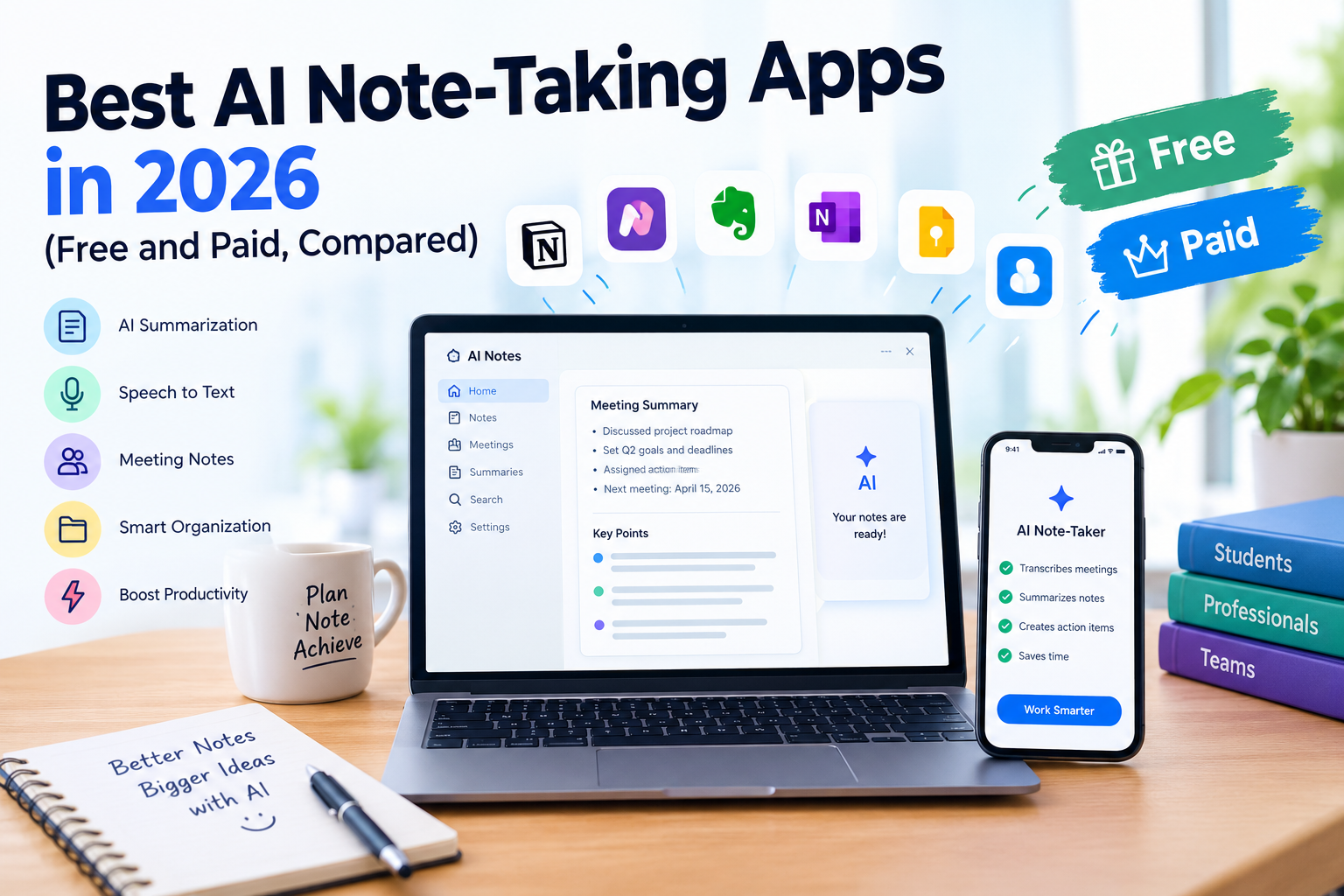
Taking notes has always been an important part of studying, working, and managing everyday responsibilities. Students write down lecture highlights, professionals record meeting decisions, and business owners keep track of customer conversations. However, manual note-taking can become difficult when information moves quickly or several tasks demand attention at once.
This is where artificial intelligence is changing the way people capture and organize information. Modern AI note-taking apps can transcribe conversations, summarize lengthy discussions, identify important points, create action items, and turn scattered information into organized notes. Instead of spending hours reviewing recordings, users can access the most relevant information in a fraction of the time.
The challenge is choosing the right app. Some tools specialize in online meetings, while others work better for personal notes, research, classroom lectures, or long-term knowledge management. Free plans also vary considerably. One application might provide unlimited recordings, while another limits monthly transcription minutes or restricts advanced summaries.
In this guide, we compare the best AI note-taking apps in 2026, including their major features, free-plan limitations, pricing, advantages, and disadvantages. We also explain which tools are best for students, remote workers, business teams, and people who want to organize everyday information.
Whether you need an AI meeting assistant for Zoom calls, an AI notes summarizes for lectures, or an affordable alternative to traditional note-taking, this comparison will help you make an informed decision.
What Are AI Note-Taking Apps?
AI note-taking apps are software applications that use artificial intelligence to capture, process, summarize, and organize information. Depending on the product, they may work with spoken conversations, meeting recordings, uploaded audio files, written documents, or manually created notes.
Traditional note-taking applications mainly provide a place to write and save information. AI note-taking tools go further by helping users extract meaning from the information they collect.
For example, imagine attending a one-hour business meeting. Instead of writing every important sentence manually, you can use an AI tool to generate a transcript, summarize the discussion, identify decisions, and create a list of follow-up tasks.
Some applications also allow you to ask questions about previous meetings, search across multiple transcripts, or convert information into a structured document.
Common Features of AI Note-Taking Tools
The most useful features generally include:
- Automatic transcription: Converts spoken conversations into searchable text.
- AI summaries: Produces concise explanations of lengthy meetings, lectures, or recordings.
- Action-item detection: Identifies tasks, commitments, and next steps.
- Speaker identification: Separates speakers so readers can understand who said what.
- Smart search: Helps users find specific topics or decisions without reading an entire transcript.
- Note organization: Sorts notes into folders, pages, projects, or databases.
- AI question answering: Allows users to ask questions about captured information.
- Integration’s: Connects notes with calendars, project management applications, customer relationship management systems, and collaboration tools.
Not every application includes all these capabilities. Some concentrate on live meeting transcription, while others specialize in creating a searchable personal knowledge base.
Understanding these differences is the first step toward finding the best AI note-taking app for your needs.
Best AI Note-Taking Apps in 2026: Quick Comparison
The table below compares eight notable tools for different budgets and workflows. Pricing refers to publicly listed U.S. pricing where available, with annual and monthly billing distinctions noted. Features and plan limits can change, so check each provider’s current website before purchasing.
| AI note-taking app | Best for | Free option | Paid pricing or access |
|---|---|---|---|
| Otter.ai | Meeting transcription and collaboration | Yes; 300 transcription minutes monthly | Pro starts at $8.49/user/month with annual billing |
| Fireflies.ai | Searchable meeting records and team workflows | Yes; limited AI summaries and storage | Pro starts at $10/user/month with annual billing |
| Fathom | Individuals who need meeting notes for free | Yes; unlimited recordings and transcription | Premium starts at $16/user/month with annual billing |
| Granola | Private-feeling, bot-free meeting capture | Yes; limited meeting history | Business: $14/user/month |
| Notion AI Meeting Notes | Organized notes and connected workspaces | Limited complimentary AI responses; meeting notes require an eligible plan | Business or Enterprise plan |
| Zoom AI Companion | Zoom users and cross-platform meeting notes | Basic features include three monthly AI note-taking uses | Broader features available through eligible paid offerings |
| Google Meet with Gemini | Google Workspace users | Depends on account and plan eligibility | Requires an eligible Workspace edition or Google AI plan |
| Krisp AI | Online and in-person meetings without a meeting bot | Seven-day free trial | Core starts at $8/user/month with annual billing |
Sources: Otter.ai pricing, Fireflies.ai pricing, Fathom pricing, Granola pricing, Notion AI Meeting Notes, Zoom AI Companion pricing, Google Meet AI note-taking, and Krisp pricing.
Prices above may vary by billing frequency, account eligibility, region, or promotional offer. The table is a practical overview rather than a guarantee of identical features across every plan.
1. Otter.ai: Best for Real-Time Meeting Transcription
Otter.ai is one of the most recognizable AI meeting notes apps for people who want to capture conversations without typing constantly. It is particularly useful for business meetings, interviews, lectures, online discussions, and team collaboration.
The application can transcribe supported meetings in real time, identify speakers, and help users review what was discussed. It also provides AI chat functionality, allowing users to interact with meeting information rather than manually searching through every line.
For example, after a project meeting, you could look for the main decisions, identify unresolved questions, and review a specific discussion without replaying the entire recording.
Key Features
Otter.ai offers live transcription, speaker identification, searchable transcripts, audio playback, AI chat, and mobile applications. It also supports integration’s with major online meeting platforms, including Zoom, Google Meet, and Microsoft Teams.
These capabilities make it useful for professionals who attend several meetings each day and want a searchable record of conversations.
Its transcription can also help students review lectures, although users should check their institution’s recording policies before capturing classroom discussions.
Free vs. Paid Plans
Otter.ai’s Basic plan includes 300 transcription minutes per month, but it has other limitations, including restrictions on file imports and meeting history.
The Pro plan is listed at $8.49 per user per month with annual billing or $16.99 with monthly billing on the pricing page. It adds more transcription capacity, longer meetings, unlimited storage, and expanded search and export features.
Users who frequently attend meetings should calculate their typical monthly transcription requirements before choosing a subscription.
Pros
- Real-time transcription is useful during conversations.
- Speaker identification makes meeting records easier to understand.
- AI chat can help retrieve information from meetings.
- Mobile applications support note-taking on the go.
- Integration’s make it practical for professional workflows.
Cons
- The free plan has a monthly transcription limit.
- File-import allowances are restricted on the free tier.
- Transcript accuracy can decline when audio is unclear or speakers interrupt one another.
- Users with many long meetings may need a paid plan.
Best for: Students, journalists, consultants, managers, and professionals who prioritize real-time transcription and searchable meeting records.
Verdict: Otter.ai is a strong option for people who need reliable access to the spoken details of meetings or lectures. Its free plan is worth testing, but heavy users should evaluate the paid limits carefully.
2. Fireflies.ai: Best for Business Meetings and Searchable Records
Fireflies.ai is an AI meeting assistant designed to help teams capture, organize, search, and analyze conversations. It works particularly well for organizations that need to preserve meeting information and turn discussions into follow-up work.
Instead of treating each conversation as a separate recording, Fireflies.ai can build a searchable collection of transcripts and summaries. This approach is useful for sales teams, customer success departments, recruiters, project managers, and remote employees.
For instance, a sales representative could review a previous client conversation to check the client’s requirements, objections, or promised next steps.
Key Features
Fireflies.ai supports meeting transcription, AI summaries, searchable conversations, real-time notes, and an AI assistant called AskFred. Users can also upload audio or video files for transcription and work with integration’s that connect meeting information to other business systems.
It supports more than 100 languages for transcription according to its published product information, making it useful for teams with multilingual meeting requirements. Actual performance may vary by language and audio quality.
The application is particularly valuable when a company wants its meeting records to become part of its broader workflow instead of remaining isolated documents.
Free vs. Paid Plans
Fireflies.ai offers a free plan with transcription, limited AI summaries, and a storage allowance of 400 minutes per team. The distinction between unlimited transcription and limited storage or AI features is important when comparing free AI note-taking apps.
Its Pro plan costs $10 per seat per month with annual billing or $18 with monthly billing. Business pricing is listed at $19 per seat per month with annual billing, with additional capabilities for teams that need more advanced administration and collaboration.
Check the official Fireflies.ai pricing page for current usage restrictions and included features.
Pros
- Searchable records help users find details from earlier conversations.
- AI summaries reduce the effort required to review meetings.
- Integration’s support professional workflows.
- Audio and video uploads are useful for processing existing recordings.
- Team-oriented features can benefit growing organizations.
Cons
- The free plan limits AI summaries and storage.
- Paid subscriptions can become expensive for large teams.
- Automated recordings need careful privacy and consent management.
- Summaries still require review before important decisions are finalized.
Best for: Sales teams, customer support departments, recruiters, consultants, and companies that need searchable meeting records.
Verdict: Fireflies.ai is a strong choice for teams that want to turn conversations into searchable organizational knowledge. It is less compelling for someone who only needs occasional personal reminders.
3. Fathom: Best Free AI Meeting Notes App
Fathom is an appealing choice for users who want to capture online meetings without committing to a monthly subscription. Its free individual plan includes unlimited recordings and transcriptions, along with AI-generated meeting summaries.
That combination makes Fathom especially attractive to freelancers, job seekers, consultants, students attending online sessions, and professionals who need meeting notes but want to avoid paying for another productivity tool.
Key Features
Fathom records and transcribes supported meetings, generates summaries, and helps users locate important moments. Its workflow is designed to reduce the administrative work that follows a conversation.
For example, after a discovery call with a potential customer, a freelancer could review the summary, revisit an important clip, and use the conversation to prepare a follow-up message.
Fathom also offers integration’s and team features, making it suitable for organizations that need more than individual meeting summaries.
Free vs. Paid Plans
Fathom’s individual Free plan provides unlimited recordings and storage, transcription, and instant AI summaries.
However, unlimited recording does not mean every advanced AI feature is unlimited. According to its published comparison, free users receive advanced AI summaries for their first five calls each month, while certain advanced features require Premium.
The Premium plan is listed at $16 per user per month with annual billing or $20 with monthly billing. Team plans have different features, minimum-seat requirements, and prices.
See Fathom’s official pricing page for the latest details.
Pros
- Unlimited recordings are valuable for frequent meetings.
- Free transcription makes it attractive to budget-conscious users.
- AI summaries help users review conversations quickly.
- Meeting clips make it easier to return to specific moments.
- Paid tiers provide additional collaboration and workflow options.
Cons
- Advanced summaries and some AI capabilities are restricted on the free plan.
- Users should check platform compatibility and recording behavior before relying on it.
- Team administration and advanced business workflows may require payment.
- Automated summaries may miss nuance or incorrectly interpret unclear speech.
Best for: Freelancers, individuals, remote workers, consultants, and users looking for a capable free AI meeting assistant.
Verdict: Fathom is one of the first tools worth testing when free meeting transcription is your main priority. Its unlimited recording offering is particularly attractive, provided its free-plan restrictions suit your workflow.
4. Granola: Best for Bot-Free Meeting Notes
Granola takes a different approach to AI meeting notes. Rather than relying on a traditional visible meeting bot, it captures supported device audio and uses AI to create organized notes.
This can make the experience feel more natural for people who prefer not to add a separate bot participant to every online meeting.
Granola is designed around turning conversations into useful written records. Users can work with notes, templates, and AI chat to extract information from individual meetings or their wider collection of conversations.
Key Features
Granola offers AI-generated meeting notes, customizable templates, speaker tagging, multilingual support, and AI chat across meeting records. Its Business plan adds longer-term note history, advanced integration’s, and additional AI capabilities.
The service also provides applications for desktop and mobile devices, along with features designed to support collaborative work.
Consider a product manager who regularly discusses priorities, customer feedback, and release decisions. Granola can provide structured records that are easier to revisit than a collection of unorganized transcripts.
Free vs. Paid Plans
Granola’s Basic plan costs $0 per user per month and includes AI meeting notes, AI chat, shared folders, customized templates, and limited meeting history.
The Business plan costs $14 per user per month and adds unlimited meeting notes and history, advanced AI features, and integration’s with services such as Notion, HubSpot, and Zapier.
Enterprise pricing is listed at $35 per user per month, with additional administrative and security controls.
Check the Granola pricing page for the current plan comparison.
Pros
- Bot-free device-audio capture is a useful alternative to traditional meeting bots.
- Custom templates help create consistent notes.
- AI chat makes meeting information easier to explore.
- Integration’s can connect notes with other productivity systems.
- The free plan allows new users to test the basic workflow.
Cons
- The free plan has limited meeting history.
- Some advanced integration’s require a paid subscription.
- Device permissions and operating-system compatibility matter.
- Users should verify which recording and sharing options are available on their devices.
Best for: Product managers, founders, consultants, and professionals who prefer structured notes without a conventional meeting bot.
Verdict: Granola is worth considering when the quality and organization of meeting notes matter more than obtaining a complete verbatim transcript for every conversation.
5. Notion AI Meeting Notes: Best for Organized Knowledge Management
Notion is best known as a workspace for documents, projects, wikis, and databases. Its AI features extend this environment by helping users summarize information and manage their work.
Notion AI Meeting Notes brings meeting capture into the same environment where users already store project documentation and other important records.
This is a significant advantage for people who do not want to maintain a separate database of meeting summaries.
Key Features
Notion AI Meeting Notes can transcribe conversations, generate summaries, identify action items, and organize meeting information in Notion pages. It can also use context from notes prepared before the meeting when generating the summary.
The feature includes speaker labels in supported circumstances and citations that connect portions of the summary to the transcript.
For example, a marketing team could maintain a database containing campaign meetings, assigned tasks, project deadlines, and follow-up notes. Keeping this information together can make it easier to find decisions later.
Free vs. Paid Plans
Notion’s standard workspace has a free plan, but AI access is limited for free and Plus users. Notion’s current documentation states that AI Meeting Notes requires a Business or Enterprise plan, apart from eligible mobile subscriptions that include Notion AI.
This means the availability of Notion’s core workspace for free should not be confused with free access to its full AI meeting-note functionality.
For pricing, check Notion’s official plans and AI Meeting Notes documentation.
Pros
- Meeting notes remain alongside documents and project plans.
- Users can organize notes in databases and linked pages.
- AI summaries can consider information prepared before meetings.
- Transcript citations help users verify summary details.
- It is useful for teams already invested in Notion.
Cons
- Full AI Meeting Notes access requires an eligible paid plan.
- The desktop application requires suitable audio permissions.
- Speaker identification can be limited in group meetings or certain recording setups.
- Users need to configure workspace permissions and note sharing carefully.
Best for: Project managers, students who already use Notion, startups, content teams, and knowledge workers who want an integrated workspace.
Verdict: Notion is a compelling option for organizing information over time. It may not be the least expensive choice if you only need transcription, but it can be valuable when meeting notes are part of a broader documentation system.
6. Zoom AI Companion: Best for Existing Zoom Users
Zoom AI Companion is a practical option for users who already rely on Zoom for online meetings. Instead of automatically adding another application to the workflow, it brings AI capabilities into the Zoom ecosystem and associated supported services.
The important distinction is that Zoom offers both built-in meeting features and cross-platform note-taking capabilities through My Notes.
This makes it useful for people who want meeting recaps, AI assistance, and note-taking without maintaining several separate subscriptions.
Key Features
Zoom’s AI offerings include meeting summaries, AI note-taking, and tools for retrieving information from conversations. My Notes supports supported third-party meeting platforms as well as Zoom, with specific capabilities depending on the plan.
For example, a project manager might use Zoom meeting summaries to review the main decisions and then use AI note-taking to capture information from another supported meeting platform.
Free vs. Paid Plans
Zoom Workplace Basic includes a limited selection of AI features. Its published pricing page lists three AI note-taking uses per month and meeting summaries for three hosted meetings per month.
Broader AI Companion offerings include unlimited AI note-taking and additional capabilities, subject to the selected subscription or offering.
As a result, Zoom can be an accessible starting point for occasional users while providing a more integrated solution for organizations that conduct many meetings.
Review Zoom’s official AI Companion pricing page before deciding whether your existing account includes the necessary capabilities.
Pros
- Convenient for users already working in Zoom.
- Meeting summaries reduce the need for manual follow-up notes.
- My Notes supports multiple meeting environments.
- Integration with a larger collaboration environment can simplify workflows.
- Basic users can test limited AI note-taking features.
Cons
- Free AI usage is limited.
- Feature access depends on the specific offering and account.
- Teams using other meeting platforms may prefer a dedicated cross-platform tool.
- Advanced collaboration capabilities may require an eligible paid subscription.
Best for: Remote teams, managers, consultants, and organizations already using Zoom Workplace.
Verdict: Zoom AI Companion is a sensible first choice when you want AI meeting notes integrated into a platform you already use. Check its limits before purchasing an additional subscription or relying on it for every meeting.
7. Google Meet with Gemini: Best for Google Workspace Users
Google Meet’s AI note-taking capabilities are particularly useful for people who work with Google Calendar, Google Docs, and other Google Workspace applications.
The feature called “Take notes for me” uses Gemini to capture important discussion points and create organized meeting notes.
Rather than exporting a transcript and summarizing it separately, users can have notes generated within their existing meeting workflow.
Key Features
Eligible users can generate meeting notes organized in Google Docs, receive meeting recaps, and access a summary of what has been discussed so far when joining a meeting late.
The notes can be shared according to the meeting’s configuration and the organization’s settings. This can be helpful for companies that want to maintain a consistent process for meeting documentation.
Imagine an employee who joins a weekly planning meeting after it has started. A summary of the discussion so far can help the employee understand the main topics without interrupting everyone.
Google Meet’s documentation describes the supported languages, eligibility requirements, and meeting-note settings. Users should confirm that their organization’s Workspace subscription supports the feature.
Free vs. Paid Access
“Take notes for me” is not universally available to every free Google account. Google states that the feature requires an eligible Google Workspace edition or Google AI plan.
Therefore, people already paying for an eligible Google subscription should check their existing access before purchasing a separate AI note-taking service.
More information is available in Google’s official Meet note-taking guide.
Pros
- Meeting notes can be organized in Google Docs.
- Calendar integration supports a natural meeting workflow.
- Recaps help people catch up on discussions.
- Notes can be shared with appropriate meeting participants.
- It is convenient for organizations already using Google Workspace.
Cons
- Access depends on an eligible plan or account.
- Supported languages and feature availability vary.
- The feature is designed around the Google ecosystem.
- Generated notes still need human review.
Best for: Google Workspace users, teachers, remote employees, students with eligible accounts, and businesses that organize their work through Google tools.
Verdict: Google Meet with Gemini is worth evaluating before buying a separate service. If it is already included in your organization’s plan, it may provide most of the meeting-note functionality you need.
8. Krisp AI: Best for Bot-Free Capture and Audio Quality
Krisp is known for audio-focused meeting tools, including noise cancellation, and now offers AI meeting-note capabilities. Its combination of audio processing and note generation makes it different from applications focused exclusively on transcripts.
Krisp can be useful for people who attend meetings in noisy environments, work from home, or move between online and in-person conversations.
Key Features
Krisp’s AI note-taker supports transcription, recording, AI-generated notes, action items, and meeting capture designed to work without a traditional meeting bot. Its offering also includes noise cancellation and integration’s with collaboration tools.
For instance, a remote professional working from a busy home environment may benefit from improving meeting audio while also receiving a summary and list of follow-up tasks.
The service supports both online and in-person note-taking in its published product information, although device permissions and configuration affect the experience.
Free vs. Paid Plans
Krisp currently lists a seven-day free trial that lets users test premium features. Unlike a permanent free tier, a trial is time-limited.
Its Core plan starts at $8 per user per month with annual billing or $16 per user per month with monthly billing. It includes unlimited AI note-taking and other supported meeting features. More advanced subscriptions provide additional capabilities for businesses.
Check Krisp’s pricing page for the current terms.
Pros
- Combines audio-focused functionality with AI notes.
- Supports bot-free meeting capture.
- Includes action items and transcription.
- Can be useful for online and in-person conversations.
- Offers integration’s for supported professional workflows.
Cons
- The standard free trial is limited to seven days.
- Ongoing use of core premium features requires payment.
- Some advanced audio capabilities vary by plan.
- Users must verify compatibility with their equipment and meeting applications.
Best for: Remote professionals, consultants, customer-facing teams, and users who value audio quality alongside note-taking.
Verdict: Krisp is especially interesting for professionals who want to improve the overall meeting experience, not merely generate a transcript.
Which AI Note-Taking App Is Actually the Best?
There is no single app that is best for everyone. The right decision depends on what you need to capture, how much you record, and where you want your notes to live.
Here is how the leading options compare in practical situations.
| Your main requirement | Recommended app | Reason |
|---|---|---|
| Free meeting transcription | Fathom | Unlimited recordings and transcription on its free individual plan |
| Real-time transcription | Otter.ai | Live transcription and speaker identification |
| Searchable meeting library | Fireflies.ai | Search and organize conversations across meetings |
| Bot-free meeting notes | Granola | Device-audio capture and organized notes |
| Notes connected to projects | Notion AI Meeting Notes | Stores notes inside a broader workspace |
| Existing Zoom workflow | Zoom AI Companion | Built-in AI meeting features and My Notes |
| Existing Google Workspace workflow | Google Meet with Gemini | Creates meeting notes in Google Docs |
| Audio quality plus notes | Krisp AI | Combines noise cancellation and AI meeting capture |
These are recommendations based on the products’ published capabilities, not a claim that every app will perform identically for all users.
Best Overall for Most Individuals
Fathom deserves consideration as a starting point if your primary goal is capturing and summarizing online meetings at no ongoing cost. Its free individual plan is generous for recording and transcription, although advanced summary limits still matter.
Otter.ai is a strong alternative when live transcription and detailed conversation review are more important than unlimited free recording.
Best for Business Teams
Fireflies.ai is suitable for organizations that want searchable conversation histories, while Notion AI Meeting Notes may be a better fit when meeting records must connect to documentation and project management.
Businesses should compare collaboration, security, retention, administration, and integration requirements rather than selecting a subscription based on price alone.
Best for Existing Productivity Subscriptions
Before subscribing to another tool, check your existing software. Eligible Google Workspace accounts may have Gemini note-taking capabilities, and Zoom users may already have access to limited AI features or a broader AI Companion offering.
Using an existing subscription can reduce overlapping costs and the need to maintain more software.
Best Free AI Note-Taking Apps in 2026
Free AI note-taking apps are useful for students, freelancers, and anyone who wants to try automated note generation without committing to a subscription.
However, the word “free” can mean several different things. A free plan might include unlimited recordings but restrict advanced summaries. Another might provide a fixed number of transcription minutes. Some tools offer only a temporary free trial.
Fathom: Best for Regular Free Meeting Recording
Fathom is a strong starting point for people who have regular online meetings and want recordings and transcripts without a monthly bill. Its advanced AI features have limits on the free plan, but basic meeting capture is generous.
Otter.ai: Best for Limited Monthly Transcription
Otter.ai’s Basic plan includes 300 transcription minutes per month. This can suit people who attend occasional meetings or record selected lectures.
Users should track their consumption because lengthy meetings can use up a monthly allowance faster than expected.
Fireflies.ai: Best for Testing Searchable Meeting Notes
Fireflies.ai’s free offering provides transcription with limited AI summaries and storage. It is a useful way to see whether a searchable meeting library improves your workflow before moving to a paid subscription.
Granola: Best for Exploring AI-Assisted Notes
Granola’s free Basic plan gives users an introduction to its AI meeting-note workflow, templates, and AI chat. Its limited meeting history may be enough for occasional conversations but less suitable for someone managing months of records.
What to Check Before Choosing a Free Plan
Evaluate the limits that directly affect your routine:
- Monthly transcription minutes and maximum meeting duration.
- Storage limits and access to older notes.
- The number of AI summaries or AI queries available.
- Whether recordings, transcripts, and exports are included.
- Whether you can use the app across your preferred meeting platforms.
A free plan is valuable only if its limits fit your real usage. For someone who records several long meetings per day, a paid plan with predictable allowances may ultimately be more practical.
Best AI Note-Taking Apps for Students
Students can use AI note-taking applications to review lectures, summarize discussions, organize research, and prepare for examinations. The most suitable tools depend on whether the student primarily attends recorded lectures, takes notes during classes, or organizes study materials.
Otter.ai for Lecture Transcription
Otter.ai can help convert spoken lectures into searchable transcripts. Students may use the transcript to revisit difficult explanations, search for a particular topic, and review important terms.
A transcript is not a replacement for understanding the subject. Students should still compare their notes against textbooks, lecture slides, and course materials.
Notion for Study Organization
Notion can be useful for building a structured study workspace. A student might create a separate database for each course, connect lecture notes to assignments, and track upcoming deadlines.
Eligible AI Meeting Notes access can add automated capture and summaries, but students should confirm their plan before assuming the feature is free.
Google Meet with Gemini for Online Classes
Students whose schools provide an eligible Google Workspace account may be able to use Google Meet’s AI note-taking features. This can be convenient for online classes and study-group discussions.
Availability depends on the institution’s subscription and administrator settings, so not every student account will qualify.
Fathom for Online Study Sessions
Fathom may help students who participate in online group projects, tutoring sessions, or collaborative discussions. Capturing the conversation and reviewing a summary can make it easier to track suggestions and assigned tasks.
Important Advice for Students
Before recording a lecture or discussion, check the instructor’s rules and institution’s policies. Some classes include confidential research, personal information, or restrictions on recording.
Also, do not rely entirely on AI-generated notes for exam preparation. Transcription mistakes, incomplete summaries, and incorrect interpretations can introduce errors. Reviewing the original material remains important.
Best AI Note-Taking Apps for Professionals
Professionals often need more than a simple summary. Their notes may support project delivery, client relationships, recruitment, compliance, or business decisions.
The ideal AI note-taking app should fit the team’s existing workflow and make it easy to find information after a meeting.
Sales and Customer Success Teams
Fireflies.ai is worth considering for searchable client conversations and team-oriented workflows. Historical transcripts can help sales representatives find customer requirements, review objections, and check what was promised.
Fathom also provides meeting summaries and team-oriented paid plans that may suit teams seeking call capture and follow-up features.
Project Managers
Project managers benefit from clear summaries that separate decisions, action items, deadlines, and open questions.
Notion AI Meeting Notes can help teams connect these records to project pages and task databases. Other meeting-focused applications can work well when the main need is capturing discussions and distributing recaps.
Regardless of the application, someone should verify that an AI-generated action item has an owner and a realistic deadline before adding it to a formal project plan.
Freelancers and Consultants
Freelancers may prefer Fathom or Granola for individual meeting notes, depending on their preferred capture workflow and summary requirements.
A freelancer meeting a client could use AI-generated notes to prepare a recap email, document requested changes, and build a list of next steps. This can reduce administrative work between calls.
Managers and Remote Employees
Managers often need to know what happened in a meeting without reading a long transcript. Short summaries, searchable topics, and identified decisions are especially helpful.
Google Meet with Gemini and Zoom AI Companion are worth evaluating for organizations already using those platforms. Dedicated tools such as Otter.ai and Fireflies.ai may be preferable when cross-platform transcription is a priority.
Business Owners
Business owners should evaluate security, access controls, integration’s, and data-retention options alongside features.
A low monthly price may not represent the best value when several employees need access or when the organization must enforce consistent policies for sensitive conversations.
AI Note-Taking Apps vs. Traditional Note-Taking Apps
Traditional note-taking applications are designed primarily for manual writing and organizing information. AI note-taking applications add automated capabilities that can save time when handling large amounts of information.
The difference is easiest to understand by looking at common tasks.
| Task | Traditional approach | AI-assisted approach |
|---|---|---|
| Capture a meeting | Write notes while listening | Transcribe supported conversation automatically |
| Summarize a discussion | Read notes and write a recap | Generate a draft summary for review |
| Find a statement | Search manually or replay audio | Search a transcript or ask an AI question |
| Track next steps | Write a task list manually | Extract suggested action items |
| Review a lecture | Revisit handwritten notes | Search a transcript and summary |
| Organize information | Sort files and notes manually | Use AI-supported organization where available |
AI tools do not eliminate the need for good note-taking practices. They change where the effort is spent.
Instead of recording every detail during a meeting, a user can concentrate on the discussion and verify the generated record afterward.
Traditional notes may still be preferable for quick reminders, private brainstorming, and information that does not benefit from transcription. Many people will get the best results by combining manual notes with AI assistance.
How Accurate Is AI Transcription Software?
AI transcription software has improved considerably, but it is not perfect. Accuracy depends on the audio recording, the clarity of the speakers, background noise, accents, technical vocabulary, and the transcription system being used.
Clear, well-recorded speech is generally easier to transcribe than a conversation in which several people talk simultaneously.
Technical meetings can create additional challenges. An AI tool may misinterpret product names, abbreviations, industry terms, or unfamiliar names.
For this reason, generated transcripts should be treated as useful records rather than unquestionable evidence.
Ways to Improve Transcription Accuracy
Use a clear microphone. Good audio input often matters more than small differences between software applications.
Reduce background noise. Choose a quiet environment when possible and avoid placing the microphone too far from the speakers.
Review important terms. Names, dates, prices, technical specifications, and numerical figures should receive special attention.
Check speaker attribution. Confirm that important statements and action items are associated with the correct people.
Verify critical decisions. When notes affect financial, legal, operational, or contractual decisions, review the original recording or ask meeting participants to confirm the details.
AI-generated summaries should also be checked for omissions. A short summary may leave out an important qualification or disagreement that appeared in the full conversation.
Privacy and Security: What Users Should Know
AI note-taking apps can process sensitive information, including conversations about customers, employees, finances, projects, and business plans. That makes privacy a central part of the selection process.
Before adopting an application, users should understand where recordings and transcripts are processed, who can access the resulting notes, and how long the information is retained.
Check Data Retention and Deletion
Review the provider’s data-retention settings. Some subscriptions offer more administrative control over transcripts and recordings than others.
Determine whether users can delete individual recordings and whether deletion also removes exported files, shared copies, or related transcripts.
Review Access Permissions
Meeting notes can contain confidential information. Make sure only the appropriate people can access the transcripts, summaries, and recording links.
For workplace accounts, administrators should review permissions and sharing controls before rolling a product out to the entire team.
Understand AI Data Usage
Look at the provider’s policy for handling information submitted to its AI systems. Check whether the terms differ by subscription, account type, or administrative configuration.
For example, Granola lists an option to opt out of model training, while its Enterprise plan includes additional administrative controls. Businesses should review the complete terms and not assume that every provider handles information in the same way.
Obtain Appropriate Consent
Recording and transcribing a conversation may be subject to applicable laws, institutional policies, contracts, and workplace requirements.
For professional meetings, inform participants when recording or transcription is taking place and obtain any required consent. In the United States, recording laws vary by jurisdiction and circumstances, so organizations should establish procedures that comply with the rules relevant to their meetings.
For sensitive conversations, users should confirm that the application is approved for the type of information being captured.
How to Choose the Best AI Note-Taking App
The best AI note-taking app is the one that fits your actual workflow rather than the one with the longest feature list.
Use the following criteria to make a practical decision.
1. Identify What You Need to Capture
Start by deciding whether you need meeting transcripts, classroom lectures, personal voice notes, interviews, or general written documents.
An application designed for recurring business meetings may be unnecessarily complicated for someone who simply wants to summarize a voice recording.
2. Compare Free-Plan Limits
Do not compare applications solely by looking at the word “free.” Check how many minutes you can transcribe, how long recordings are stored, and whether summaries are restricted.
A product with fewer free minutes may be sufficient for someone who only attends a weekly meeting. Someone who records several hours each day may need a different option.
3. Check Integration’s
Think about where you want your information to live. If you use Google Docs, Microsoft Teams, Zoom, or Notion throughout the day, an application that works well with those tools can save significant effort.
Integration quality also affects whether summaries and action items can move easily into the rest of your workflow.
4. Evaluate Summary Quality
A useful AI summary should preserve the main points, decisions, questions, and responsibilities without introducing unsupported information.
Test the same type of meeting in your preferred apps and compare the results. Check whether the output is concise, clear, and easy to verify against the transcript.
5. Review Security and Compliance Requirements
Individual users may prioritize ease of use and cost, while businesses may need stronger administrative controls and contractual assurances.
Review data handling, sharing permissions, retention policies, and the requirements that apply to your organization before recording sensitive material.
6. Calculate the Real Cost
For teams, a per-user subscription can add up quickly. For individuals, a monthly fee may be worthwhile if it saves time every week.
Compare annual and monthly pricing, minimum seat requirements, feature restrictions, and the likelihood that you will use advanced features. Avoid paying for premium functionality that does not improve your day-to-day work.
Tips for Getting Better Results From AI Note-Taking Tools
Even a capable AI application cannot produce consistently useful notes if the underlying process is poorly managed.
A few simple habits can make the output more valuable.
Prepare an Agenda Before the Meeting
When possible, list the topics you expect to discuss. An agenda gives you a framework for checking whether the generated summary covers the important points.
Some applications also allow users to provide per-meeting context that can influence how summaries are organized.
Use Consistent Summary Templates
A standard format makes meeting notes easier to review. A useful template can include:
- Meeting purpose and participants.
- Main discussion points.
- Decisions made.
- Action items and responsible people.
- Deadlines and unresolved questions.
Choose an application that supports suitable templates when you need to produce the same type of notes regularly.
Review Notes Immediately After the Meeting
Take a few minutes to correct important errors while the discussion is still fresh in your memory. Verify names, numerical values, assignments, and commitments.
This quick review is especially valuable for client meetings and projects with firm deadlines.
Turn Action Items Into Actual Tasks
An AI-generated task list is only a starting point. Transfer the verified tasks into your project management system or calendar, and make sure each item has an owner and a due date when necessary.
Maintain a Searchable Archive
Use descriptive meeting titles and consistent project names. This makes it easier to retrieve the correct record later.
For example, a title such as “October Product Planning — Release Priorities” provides more useful context than a generic title such as “Team Meeting.”
Common Mistakes to Avoid When Using AI Note-Taking Apps
AI note-taking tools can save time, but several mistakes can reduce their value.
Trusting every summary without checking it. AI can misinterpret conversations or omit qualifications. Verify important claims against the original record.
Ignoring the free-plan limits. Storage restrictions, summary quotas, and transcription-minute limits can interrupt a workflow when least expected.
Recording conversations without appropriate permission. Always consider applicable laws, workplace rules, and participant expectations.
Choosing an app based only on price. A cheap subscription is not useful if the product does not work with your meeting platform or cannot meet your transcription needs.
Failing to organize the results. Generating hundreds of summaries without a consistent filing system can create another information-management problem.
Keeping unnecessary sensitive information. Apply appropriate retention practices and avoid collecting information that your workflow does not need.
The goal should be to improve the quality and accessibility of information, not to collect recordings without a clear purpose.
Frequently Asked Questions
1. What is the best AI note-taking app in 2026?
The best option depends on your needs. Fathom is worth considering for free meeting recording and transcription, Otter.ai for live transcription, Fireflies.ai for searchable team meeting records, Granola for bot-free capture, and Notion AI Meeting Notes for connecting conversations with a wider workspace.
Users should compare current plan limits and features before deciding.
2. What are the best free AI note-taking apps?
Fathom, Otter.ai, Fireflies.ai, and Granola offer free plans. Their restrictions differ: Fathom provides unlimited recordings and transcription with limitations on certain advanced summaries, Otter.ai limits monthly transcription minutes, Fireflies.ai restricts some AI and storage features, and Granola Basic offers limited meeting history.
The best free plan depends on how frequently you record and which features you require.
3. Are AI note-taking apps worth paying for?
Paid applications can be worthwhile for people who record meetings regularly, need more storage, use advanced summaries, or require team collaboration and administration.
Occasional users may find a free plan sufficient. The best way to assess value is to compare the subscription cost with the time saved and the importance of the additional capabilities.
4. Which AI meeting notes app is best for students?
Otter.ai can be useful for lecture transcription, while Notion can help organize study materials and course notes. Fathom may be suitable for online study sessions. Google Meet with Gemini is another option for students with eligible accounts.
Students should check classroom recording rules and confirm plan eligibility before relying on any feature.
5. Can AI note-taking apps automatically summarize meetings?
Yes. Supported applications can generate summaries that capture key discussion points and, depending on the product, decisions and action items.
However, automatic summaries are not always complete or accurate. Review important details before using the output as an official meeting record.
6. Do AI note-taking apps work with Zoom and Google Meet?
Several tools support major online meeting platforms. Otter.ai, Fireflies.ai, and Fathom offer meeting-capture functionality for supported platforms, while Zoom AI Companion and Google Meet with Gemini provide integrated options in their respective ecosystems.
Exact platform support and feature availability depend on the application and subscription.
7. Is AI transcription software accurate?
AI transcription can be useful for creating searchable records, but accuracy depends on audio quality, speech clarity, accents, overlapping conversations, and technical terminology.
Users should verify important names, numbers, commitments, and decisions against the original recording or another reliable source.
8. Are AI note-taking apps safe for confidential meetings?
Safety depends on the application’s data practices, account settings, access controls, and the information being recorded. Review the provider’s privacy and security documentation, configure sharing carefully, and obtain appropriate consent.
Organizations with strict confidentiality requirements should evaluate the relevant contractual, regulatory, and internal policy requirements before adopting a service.
9. Can AI note-taking apps replace manual notes?
They can reduce the need to write every detail during a conversation, but they do not completely replace manual notes or human judgment.
Users may still need to record their own observations, correct errors, clarify priorities, and decide which information matters most.
10. What is the difference between an AI meeting assistant and an AI note summarizes?
An AI meeting assistant typically captures conversations and offers a broader range of features, such as transcription, speaker identification, action items, and integration’s.
An AI note summarizes focuses primarily on turning existing text or recorded information into a shorter summary. Some applications combine both functions.
11. Which AI note-taking app is best for business professionals?
Fireflies.ai is worth considering for searchable conversations and team workflows. Notion AI Meeting Notes may suit teams that organize projects and documents in Notion, while Otter.ai can be attractive to professionals who prioritize transcription.
Zoom and Google Workspace users should also check the AI features already available in their existing subscriptions.
12. Do I need to pay for an AI note-taking app?
No. Free plans may provide enough functionality for occasional meetings or individual use. However, you may need a paid subscription if you require more transcription capacity, unlimited access to advanced features, longer meeting histories, enhanced administration, or business integration’s.
Always compare current limits before signing up.
Final Verdict: Which AI Note-Taking App Should You Choose?
AI note-taking applications are making it easier to capture conversations, organize information, and follow up on important decisions. In 2026, users can choose from dedicated meeting assistants, AI-powered work-spaces, and tools integrated into existing video-conferencing platforms.
For people who want free meeting transcription, Fathom is a strong starting point. Otter.ai is a good option for real-time transcription, while Fireflies.ai is suited to teams that need searchable meeting records. Granola provides an alternative for bot-free capture, and Notion AI Meeting Notes is attractive for people who want meetings and project documentation in one place.
Zoom AI Companion and Google Meet with Gemini are worth evaluating if your organization already uses those ecosystems. Krisp is another option for users who value audio features alongside automated notes.
Ultimately, the best AI note-taking app is not necessarily the one with the most features. It is the one that captures the information you need, produces summaries you can trust after review, fits your budget, protects your data appropriately, and integrates with your daily routine.
Start with a free plan or eligible trial, test it on real tasks, and compare the quality of its output before committing to a paid subscription. With the right tool and a consistent review process, you can spend less time writing meeting notes and more time using the information they contain.

Leave a Reply