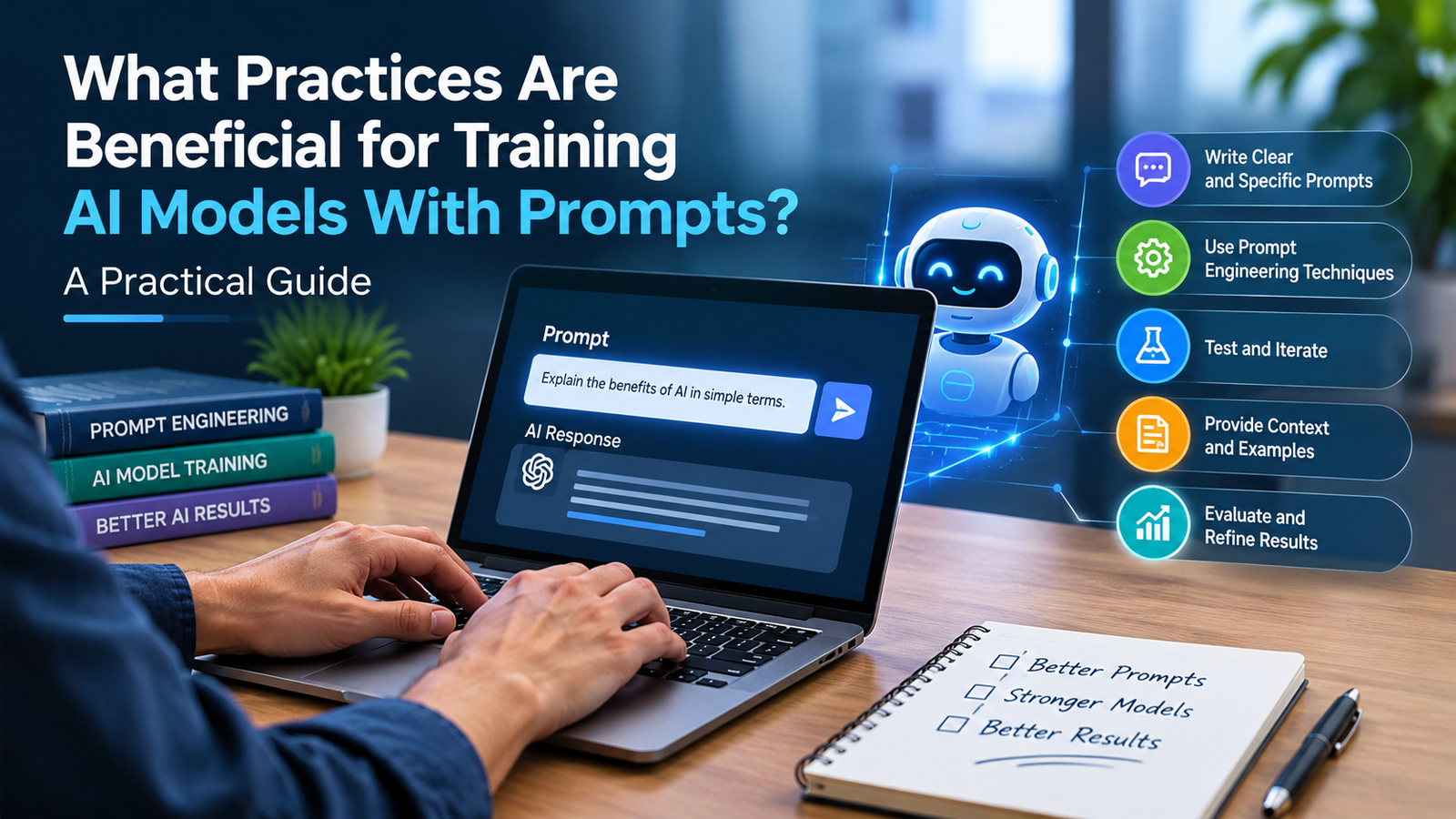
Artificial intelligence has become increasingly capable, but getting useful results from an AI system is not always as simple as asking a question and waiting for an answer. The quality of the instructions you give an AI model can greatly affect the quality, consistency, and usefulness of its output.
Prompt engineering is an important skill.
Businesses, developers, researchers, marketers, educators, and everyday users are learning how to write clearer instructions, provide better context, define expected outputs, and evaluate responses more systematically. As AI becomes part of software applications and business workflows, designing effective prompts is becoming more than a productivity trick. It is becoming part of a broader discipline of working with AI systems.
However, one important point should be clear from the beginning.
Prompts do not normally “train” an AI model the way changing its parameters through machine learning training or fine-tuning does. In most everyday applications, a prompt tells an already-trained model what task to perform and how to respond. Yet prompts can still play a significant role in AI model training, fine-tuning, synthetic data generation, evaluation, testing, and improving model behaviour in practical environments.
So, what practices help you train AI models with prompts?
The answer involves much more than writing longer instructions. Good prompt-based work requires clear objectives, relevant context, examples, structured inputs, careful testing, measurable evaluation, and continuous optimization.
This practical guide explains useful techniques for creating better prompts, improving AI model performance, reducing errors, and building repeatable AI workflows.
Understanding the Relationship Between Prompts and AI Model Training
Before looking at techniques, it is useful to separate several concepts that are often mixed. This makes the discussion easier to follow.
AI models are typically trained using large amounts of data and computational resources. During this process, the model learns patterns that influence how it responds to future inputs.
A prompt is different.
A prompt is different. A prompt is an instruction or input provided to an already-trained model after or during certain stages of model development. It can tell the system what task to perform, what information to consider, what format to use, or what role to take.
For example:
Summarize the following customer complaint in three bullet points and identify the main issue.
That instruction does not necessarily retrain the model. Instead, it guides the model’s behaviour for that particular interaction.
Still, prompts can be highly important in AI development. They also support several practical workflows.
Teams can use carefully designed prompts to generate training examples, create synthetic datasets, test model behaviour, compare model versions, and evaluate whether a system follows business requirements.
This means prompt engineering can become part of a larger AI development process.
What Is Prompt Engineering?
Prompt engineering is the practice of designing and refining instructions that help AI systems produce useful, accurate, relevant, and consistent results. For example, one prompt may ask for a short customer-service reply, while another may require a structured comparison of product features.
A prompt can contain several components:
- A task or objective
- Context
- Relevant data
- Constraints
- Examples
- Output requirements
- Quality criteria
The simplest prompts may contain only one sentence. In other cases, a prompt can become more detailed.
More complex prompts can define an entire workflow.
For example:
Review the following product description. Identify factual claims, unsupported statements, and unclear wording. Return the results in a table with four columns: claim, issue, reason, and recommended revision.
The second prompt is more effective for a structured task because it tells the AI exactly what to do and what the final output should look like.
Good prompt design techniques therefore focus on removing ambiguity and making the task easier for the model to interpret.
Why Prompt Quality Matters
AI systems are powerful, but they are sensitive to instructions.
A vague prompt can produce a vague response.
An overly broad prompt can lead to irrelevant information.
A prompt without context may force the model to make assumptions.
An instruction that contains conflicting requirements can produce inconsistent results.
On the other hand, a well-designed prompt can clarify the task and improve output reliability.
This becomes especially important when AI is used repeatedly. In those cases, consistency matters more.
A person asking an AI a casual question may tolerate an imperfect response.
A company using AI to process thousands of support tickets needs a much more predictable result.
This is why prompt optimization becomes important for professional AI applications.
Practice 1: Define the Objective Clearly
One of the most important prompt engineering best practices is to define the objective before writing the prompt.
Ask:
What exactly should the AI do?
Avoid vague instructions such as:
Analyze this.
Analyze what?
What should be considered?
What should the output contain?
A better instruction could be:
Analyze this customer review for sentiment, identify the main complaint, and provide one recommended action for the support team.
Now the task is specific.
The model knows that it needs to:
- Determine sentiment.
- Identify the main complaint.
- Recommend one action.
Specific objectives also make it easier to evaluate the result.
Practice 2: Give the AI Relevant Context
Context helps a model understand why the task matters.
Compare these two prompts:
Write a response to this customer.
and:
Write a polite response to a U.S. customer whose order arrived two days late. Apologize, acknowledge the inconvenience, explain that the shipping issue is being reviewed, and avoid promising a refund unless eligibility is confirmed.
The second prompt provides useful context.
It tells the AI:
- Who the customer is
- What happened
- What tone to use
- What information to include
- What not to promise
Context matters in business applications because the same task may require different outputs depending on the audience and situation.
Practice 3: Define the AI’s Role Carefully
Assigning a role can help frame the task.
For example:
Act as a technical documentation editor.
or:
Act as a customer-support quality reviewer.
or:
Act as a research assistant specializing in supply-chain analysis.
Role instructions can help the model focus on relevant priorities and vocabulary. That makes the role useful, but limited.
However, don’t treat a role as a guarantee of expertise.
If factual accuracy matters, the system still needs reliable source material, appropriate verification, and human review where necessary.
The role provides direction. It does not magically create professional credentials.
Practice 4: Use Precise Instructions
Effective prompts usually specify the required action.
Instead of:
Tell me about our sales data.
Try:
Review the sales data and identify the three products with the largest month-over-month decline. Give the percentage change and one possible explanation for each decline. Do not invent missing information.
The second prompt reduces ambiguity.
This is one of the simplest forms of prompt optimization.
The more precisely you describe the task, the easier it becomes for the model to produce an output that matches the user’s actual goal.
Practice 5: Define the Output Format
AI often performs better when you clearly define the desired output structure.
You can request:
- A table
- A numbered list
- JSON
- A paragraph
- A summary
- A checklist
- A CVS-style structure
- Specific headings
For example:
Return the analysis as a table with these columns: Customer, Issue, Priority, Recommended Action.
This is particularly useful when you transfer AI output into another system.
Structured outputs can also simplify AI model evaluation because you can compare results against consistent criteria.
Practice 6: Set Clear Constraints
Constraints help prevent unwanted behaviour.
A prompt may specify:
- Word count
- Tone
- Reading level
- Number of examples
- Allowed sources
- Prohibited assumptions
- Required fields
- Formatting requirements
For example:
Write a product summary in 120 words or fewer. Use plain English, avoid unsupported claims, and mention only the features included in the provided source material.
This creates boundaries.
Without those boundaries, the model may provide extra information that is technically interesting but not useful. Clear constraints prevent that shift.
Practice 7: Provide Examples
Examples can be one of the most powerful prompt design techniques. For example, you can show one customer message and the exact category label you want the model to return.
Instead of describing a desired output in words, show the model what a good result looks like.
For instance:
Input: “My package has not arrived.”
Output: “Category: Delivery Issue”
Input: “I was charged twice.”
Output: “Category: Billing Issue”
Classify the next customer message using the same format.
This demonstrates the expected behaviour.
Providing examples is often called few-shot prompting when you include several examples.
Examples can be especially useful when the task involves classification, formatting, tone, or nuanced distinctions.
Practice 8: Break Complex Tasks Into Smaller Steps
Large, complicated requests can become difficult for an AI model to handle reliably.
Instead of asking:
Analyze our entire business, identify all risks, create a marketing strategy, and forecast sales.
Break the work into smaller stages.
For example:
- Identify the company’s target customers.
- Analyze the available sales information.
- Identify the main market risks.
- Develop three marketing opportunities.
- Compare the opportunities.
- Create a final recommendation.
This approach creates a clearer process. It also makes each stage easier to review.
It can also make errors easier to identify.
Breaking complex tasks into smaller components is a practical AI training technique in prompt-based workflows because it encourages consistent task decomposition, even when the model itself is not being retrained.
Practice 9: Tell the Model What Not to Do
Good prompts do not only describe the desired action.
They can also explain boundaries.
For example:
Summarize this report using only the information provided. Do not add statistics that are not present in the source.
Or:
Recommend products only from the supplied inventory list. Do not invent product names or specifications.
Negative constraints can reduce unwanted assumptions.
They are particularly valuable when accuracy matters.
Practice 10: Use Source-Grounded Prompts
One of the strongest ways to improve reliability is to give the model the relevant source material.
Instead of:
What does our refund policy say?
Provide the policy content and ask:
Based only on the policy below, answer the customer’s question. Quote the relevant section briefly and state when the policy does not provide enough information.
This reduces dependence on the model’s general knowledge.
It also creates a more audit-able process.
In business environments, source-grounded prompting can be combined with retrieval systems so that the AI receives current company information before generating an answer.
Practice 11: Separate Instructions From Data
A prompt becomes easier to understand when you clearly separate instructions from source information.
For example:
Task:
Summarize the report in five sentences.
Source:
[report content]
Requirements:
- Include the main conclusion.
- Mention two supporting findings.
- Do not introduce outside facts.
This structure reduces confusion.
For complex workflows, clear sections such as “Task,” “Context,” “Data,” and “Output Format” can make the prompt easier to maintain and update.
Practice 12: Use Effective AI Prompts Instead of Overly Long Prompts
Longer does not always mean better.
An effective prompt contains the information the model actually needs.
Adding unnecessary instructions can create noise.
For example, a prompt that contains 20 irrelevant rules may be less useful than one with five clear requirements.
The goal is not maximum length.
The goal is maximum clarity.
This is an important principle for anyone learning how to write effective AI prompts.
Practice 13: Define Success Before Testing
Before deciding whether a prompt works, define what success means.
Suppose a company wants AI to classify customer support messages.
Success might mean:
- High classification accuracy
- Consistent labels
- Low rate of false categorization
- Fast processing
- Predictable output format
Without success criteria, teams may judge prompts based on a few impressive examples.
That is not enough.
A prompt that works beautifully on five examples may fail badly on thousands of real-world inputs.
Practice 14: Use Prompt Testing
Prompt testing should be systematic, not intuitive.
Create a test set containing realistic examples.
Include easy cases.
Include difficult cases.
Include ambiguous cases.
Include unusual wording.
Include incomplete information.
Then test the same prompt against the entire dataset.
This gives you a more realistic picture of performance.
For production systems, teams should maintain test cases over time and rerun them whenever a prompt, model, or workflow changes.
This is similar to software testing.
Treat a prompt as part of an application that needs version control and evaluation.
Practice 15: Test Edge Cases
Many AI failures occur when the input is unusual.
For example:
- Typos
- Sarcasm
- Missing fields
- Contradictory information
- Very long text
- Very short text
- Unexpected formatting
- Mixed languages
- Unclear instructions
Test a strong prompt against these situations.
You should ask:
What happens when the information is incomplete?
What happens when the user asks for something outside the system’s purpose?
What happens when the model cannot find enough evidence?
The answers to these questions can reveal weaknesses that ordinary tests miss.
Practice 16: Ask for Uncertainty
A useful practice is to tell the model what to do when it does not know.
For example:
If the source does not contain enough information to answer the question, say “Insufficient information” instead of guessing.
This can help reduce unsupported claims.
In many professional applications, admitting uncertainty is better than producing a confident but inaccurate answer.
This is especially important for financial, legal, technical, and other high-impact workflows.
Practice 17: Encourage Evidence-Based Responses
For research-oriented tasks, ask the model to connect claims to evidence.
For example:
For each recommendation, identify the information from the supplied report that supports it.
This creates a stronger relationship between the output and the underlying evidence.
It can also make review easier.
However, generated explanations should not automatically be treated as proof.
The original data or source material should still be checked when accuracy matters.
Practice 18: Keep Prompts Consistent
If an AI workflow processes hundreds or thousands of similar requests, consistency becomes critical.
A company should avoid having every employee write their own version of the prompt.
Instead, teams can create standardized prompt templates.
For example:
Customer Type: [value]
Issue: [value]
Relevant Policy: [value]
Task: Draft a response that…
Output: [required format]
Templates improve repeatability.
They also make prompt changes easier to manage.
Practice 19: Optimize Prompts Iteratively
Strong prompts are rarely created perfectly on the first attempt.
A practical process looks like this:
Write the initial prompt.
Test it.
Identify failure patterns.
Modify the instructions.
Test again.
Compare the results.
Repeat.
This is the core of prompt optimization.
The goal is not to make prompts more complicated endlessly.
The goal is to identify which changes actually improve results.
Practice 20: Compare Multiple Prompt Versions
Suppose Prompt A and Prompt B perform differently.
Rather than choosing one based on personal preference, test both against the same evaluation dataset.
For example:
| Prompt | Accuracy | Format Compliance | Average Response Time |
| Version A | 88% | 91% | 2.1 sec |
| Version B | 93% | 95% | 2.4 sec |
Prompt B may be better if accuracy and consistency are more important than a small increase in response time.
This type of comparison helps turn prompt engineering into a measurable process.
Practice 21: Evaluate AI Model Performance, Not Just Prompt Performance
A prompt cannot always solve every problem.
The underlying model matters too.
One model may handle a task better than another.
A prompt that works well with one model may perform differently with another.
This means teams should evaluate AI model performance and prompt performance together.
Factors to consider can include:
- Accuracy
- Relevance
- Consistency
- Latency
- Cost
- Safety
- Instruction following
- Robustness
The best prompt on a weak model may still produce poor results.
Likewise, a strong model can sometimes compensate for a weaker prompt, but that does not mean prompt quality is unimportant.
Practice 22: Choose the Right Model for the Task
Not every task requires the largest or most expensive model.
A simple classification task may be handled effectively by a smaller model.
A complex reasoning problem may require a more capable system.
A task involving private data may require a local or enterprise-controlled model.
Model selection is therefore part of AI optimization.
Organizations should evaluate the relationship between task complexity and model capability.
Using an unnecessarily large model can increase costs without creating proportional value.
Practice 23: Use Prompt Chaining for Complex Workflows
Prompt chaining means using multiple prompts as stages in a broader process.
For example:
Step 1: Extract the facts from a document.
Step 2: Check whether any information is missing.
Step 3: Classify the document.
Step 4: Generate a response.
Step 5: Review the response against a checklist.
This approach can make complex tasks more manageable.
Each stage has one job.
If something goes wrong, the team can identify where the problem occurred.
Practice 24: Add a Review Step
For important workflows, do not stop after the first AI-generated output.
Add a second-stage review.
For example:
Review the draft for factual inconsistencies, missing information, and unsupported claims. Return the corrected version only if changes are necessary.
A review stage can catch certain errors.
In high-impact applications, human review may still be necessary.
AI should not automatically become the final authority simply because it generated a plausible answer.
Practice 25: Improve AI Model Accuracy With Better Data
Prompt quality is only one factor in system performance.
If the information supplied to the model is poor, the output can be poor, too.
The principle sometimes summarizes this:
“Garbage in, garbage out.”
For AI systems, input quality matters enormously.
Use clean source data.
Remove unnecessary duplication.
Keep information current.
Clearly label important fields.
Provide relevant context.
Better inputs can improve the final response quality without changing the underlying model.
Practice 26: Avoid Ambiguous Language
Ambiguity is a common source of poor outputs.
Consider:
Make this better.
What does “better” mean?
More professional?
Shorter?
Friendlier?
More persuasive?
A stronger prompt could say:
Rewrite this email to sound professional, confident, and friendly. Keep it under 180 words and preserve the original meaning.
Now the task is measurable.
Clear language is one of the most basic, yet valuable, prompt engineering best practices.
Practice 27: Use Consistent Terminology
If your system uses specific terms, define them.
Suppose “qualified lead” has a specific business meaning.
Tell the AI:
Treat a qualified lead as a prospect that matches the target industry, has at least 50 employees, and requested a product demonstration.
Without that definition, the model may interpret “qualified lead” differently.
Define domain-specific terminology explicitly when precision matters.
Practice 28: Control Tone and Audience
AI-generated text can vary significantly depending on the intended reader.
Tell the model who the audience is.
For example:
Explain this cybersecurity concept to a nontechnical U.S. business owner using simple language and one practical example.
Or:
Rewrite this analysis for a senior engineering audience using precise technical terminology.
Audience instructions can improve relevance.
Practice 29: Build Reusable Prompt Templates
A business should not have to reinvent prompts every day.
Create reusable templates for common workflows such as:
- Customer support
- Marketing
- Sales research
- Document review
- Data analysis
- Internal reporting
- Content creation
- Technical support
Templates make it easier to standardize AI use across teams.
They also make training employees easier.
Instead of teaching everyone to invent prompts from scratch, a company can provide proven templates and explain how to adapt them.
Practice 30: Keep a Prompt Library
A prompt library can contain:
- Approved prompts
- Version numbers
- Intended use
- Example inputs
- Expected outputs
- Known limitations
- Evaluation results
This becomes increasingly useful as AI adoption grows.
Prompts are not just casual messages when they become part of a business process.
They become operational assets.
Practice 31: Evaluate Prompts With Real-World Data
Synthetic examples can be useful, but real-world data often reveals issues that artificial examples do not.
For example, an internal customer-service dataset may include abbreviations, typos, incomplete requests, emotional language, and unexpected edge cases.
Testing against realistic data produces more meaningful results.
Whenever possible, evaluation datasets should represent the actual diversity of inputs the system is likely to encounter.
Practice 32: Measure More Than Accuracy
Accuracy is important, but it is not the only metric.
A prompt may improve accuracy while making responses dramatically slower.
Another prompt may produce accurate responses but use too many tokens.
A third may be fast and cheap but difficult for users to understand.
A useful evaluation framework might include:
Accuracy: Is the answer correct?
Relevance: Does it address the actual task?
Consistency: Does it behave similarly across similar inputs?
Latency: How quickly does it respond?
Cost: How expensive is the workflow?
Safety: Does it avoid unacceptable outputs?
Usability: Can people act on the result?
The right metrics depend on the application.
Practice 33: Watch for Hallucinations
One of the most important challenges in generative AI is the possibility of incorrect information presented as though it were true.
Prompt design can reduce some risks.
For example:
Use only the information provided. If the source does not support the answer, say so.
Source grounding, retrieval, structured workflows, and post-generation verification can provide additional safeguards.
Still, no prompt should be treated as a universal guarantee against false information.
Evaluation and system design remain essential.
Practice 34: Protect Sensitive Information
Businesses should think carefully about what information is included in prompts.
Sensitive data may include:
- Customer details
- Financial information
- Passwords
- Internal documents
- Personal information
- Trade secrets
- Proprietary code
Organizations should have clear policies defining what employees can and cannot place into AI systems.
Consider privacy during AI implementation, not as an afterthought.
Practice 35: Test for Prompt Injection and Untrusted Inputs
When an AI system processes content from users, websites, documents, or other external sources, some of that content may contain instructions that conflict with the intended task.
This creates a prompt-injection risk.
For example, an AI system may be instructed to summarize a webpage, but the webpage content could contain hidden or explicit instructions designed to manipulate the model.
Developers should therefore distinguish between trusted instructions and untrusted data.
Input validation, access controls, structured tool use, and careful system design can help reduce these risks.
Practice 36: Use Human Feedback
Human evaluation remains highly valuable.
People can identify issues that automated metrics miss.
For example, two AI responses may have similar factual accuracy, but one may be much more useful to the customer because it is clearer and easier to act on.
Human reviewers can rate outputs based on:
- Helpfulness
- Clarity
- Tone
- Relevance
- Accuracy
- Completeness
Their feedback can then improve prompts and workflows.
Practice 37: Combine Automated Evaluation With Human Review
The strongest evaluation systems often use both.
Automated tests are useful for speed and scale.
Human review is useful for nuance.
For example, you can automatically check thousands of outputs for formatting errors, while people review a smaller sample for quality and usefulness.
This approach can make AI model evaluation more efficient.
Practice 38: Version Your Prompts
A small wording change can sometimes produce a meaningful difference in output.
For that reason, teams should record changes.
For example:
Prompt v1.0
Original production prompt.
Prompt v1.1
Added customer-type instructions.
Prompt v1.2
Added uncertainty handling.
Now the team can determine whether the changes improved performance.
Prompt versioning is especially important when AI becomes part of a production application.
Practice 39: Treat Prompt Engineering Like Software Engineering
Professional prompt engineering increasingly benefits from software-engineering principles.
That means:
- Version control
- Test datasets
- Change tracking
- Regression testing
- Documentation
- Monitoring
- Performance metrics
A prompt used once is a simple instruction.
A prompt used millions of times is part of software infrastructure.
That distinction matters.
Prompt Engineering and AI Training Techniques
Prompting can support many AI development activities.
For example, teams can use prompts to generate synthetic examples for training datasets.
They can also use prompts to create evaluation cases, compare model behaviour, classify information, or simulate user interactions.
However, these activities should not be confused with changing the model’s learned parameters.
Training AI models typically involves an optimization process that updates model weights based on data.
Prompting usually operates at a different layer.
A useful way to think about it is:
Training changes the model.
Prompting guides the model.
Evaluation measures the model.
In modern AI development, all three can work together.
Prompt-Based Data Generation
One interesting use of prompts is generating synthetic data.
Suppose a company needs examples of customer requests representing different categories.
An AI system can be prompted to generate realistic examples:
Generate 100 realistic customer messages related to delayed shipments. Include variations in tone, spelling, sentence length, and urgency.
These examples can potentially support experimentation, testing, or certain training workflows.
But generated data needs quality control.
Synthetic examples can contain unrealistic patterns, duplicates, or hidden biases.
They should therefore be reviewed and evaluated before being treated as reliable training data.
Prompting for Fine-Tuning Workflows
Prompts can also help prepare examples for supervised fine-tuning.
For instance, a team might create pairs of:
Input: Customer message
Expected Output: Approved response
The quality of those examples matters greatly.
If the examples are inconsistent, contradictory, or poorly written, they can make the resulting system less reliable.
This is another reason prompt design should be combined with data quality and evaluation practices.
Prompting for AI Model Evaluation
Prompts are especially useful for evaluating model behaviour.
A test prompt can ask the model to:
- Follow specific instructions
- Refuse unsafe requests
- Extract structured data
- Summarize information
- Identify uncertainty
- Handle conflicting instructions
- Follow formatting requirements
By creating a repeatable evaluation suite, teams can compare model versions.
This allows developers to see whether a new model update actually improves performance.
A Practical Prompt Framework
For many business tasks, the following structure is a useful starting point:
Role
Who should the AI act as?
Goal
What exactly should it accomplish?
Context
What background information does it need?
Data
What source material should it use?
Constraints
What should it avoid or limit?
Examples
What does a good output look like?
Output Format
How should the result be structured?
Quality Rules
How should it handle uncertainty, missing information, or errors?
You can adapt this framework to almost any AI workflow.
Example of a Weak Prompt
Analyze this report and give me useful insights.
The problem is not that the prompt is grammatically incorrect.
The problem is that “useful insights” is undefined.
Useful to whom?
About what?
In what format?
Based on which criteria?
Example of a Stronger Prompt
Act as a business analyst. Review the report below and identify the five most important findings for a U.S. retail company. For each finding, provide: (1) the relevant evidence from the report, (2) why the finding matters, and (3) one practical action the company could consider. Do not introduce facts that are not supported by the report. Return the results in a table.
This version establishes:
- Role
- Task
- Audience
- Number of findings
- Required fields
- Evidence expectations
- Restrictions
- Output format
That is the difference between a casual request and a structured prompt.
A Prompt Optimization Workflow for Businesses
Businesses that want reliable AI performance can follow a repeatable process.
Step 1: Define the Business Problem
Do not begin with the prompt.
Begin with the problem.
What task is AI supposed to improve?
Step 2: Define Success
Decide how success will be measured.
Step 3: Build a Baseline Prompt
Create a simple starting version.
Step 4: Create an Evaluation Dataset
Use representative inputs.
Step 5: Test
Run the prompt across the dataset.
Step 6: Identify Failure Patterns
Look for recurring errors.
Step 7: Refine the Prompt
Add context, examples, constraints, or structure where necessary.
Step 8: Retest
Compare the new version with the baseline.
Step 9: Add Safeguards
Handle uncertainty, sensitive information, and edge cases.
Step 10: Monitor After Deployment
Real-world inputs can differ from testing data.
Continuous monitoring is therefore important.
Common Prompt Engineering Mistakes
Even experienced users can make prompting mistakes.
Being Too Vague
The model has to guess what you want.
Adding Too Many Instructions
Excessive complexity can make the task harder to follow.
Providing Contradictory Requirements
The model may struggle to prioritize conflicting instructions.
Omitting Important Context
The AI may produce a technically reasonable but practically useless response.
Assuming the AI Is Always Correct
Plausible output is not the same as verified output.
Testing Only Easy Examples
Real-world systems encounter unusual cases.
Ignoring the Underlying Model
Prompt improvements cannot always compensate for inadequate model capability.
Failing to Measure Results
Without data, teams cannot know whether a change actually helped.
How Prompt Engineering Can Improve AI Model Performance
Well-designed prompts can improve practical system performance by making tasks easier to interpret and outputs easier to control.
For example, a prompt may improve:
- Instruction following
- Relevance
- Formatting
- Consistency
- Task completion
- Context awareness
However, keep expectations realistic.
Prompt engineering is not a magic switch for improving AI model accuracy.
If an AI model lacks the knowledge, reasoning capability, context, or data needed for a task, changing the prompt wording may have limited impact.
This is why prompt optimization works best as part of a broader system strategy.
The Future of Prompt Engineering
As AI systems become more capable, prompting is likely to become less about clever tricks and more about structured system design.
Modern AI applications increasingly combine models with:
- Retrieval systems
- External tools
- Databases
- APIs
- Memory
- Workflow engines
- Evaluation systems
- Security controls
In these environments, prompt engineering becomes one layer of a larger architecture.
The best prompt may not be the most creative.
It may be the one that is clear, testable, maintainable, and effective within the entire system.
AI agents will also increase the importance of prompts.
Agents need instructions about goals, permissions, tool use, escalation rules, and error handling.
This means prompt design may become more closely tied to software engineering and AI governance.
The Growing Importance of AI Literacy
The value of prompt engineering extends beyond professional developers.
Employees in many industries will increasingly interact with AI.
Knowing how to provide context, verify answers, structure requests, and identify uncertainty can improve everyday AI use.
For U.S. businesses, this could become an important workforce skill.
Employees do not necessarily need advanced machine-learning knowledge.
They do need practical AI literacy.
Understanding how to work with models effectively can help people use AI more responsibly and productively.
Frequently Asked Questions About Training AI Models With Prompts
What practices are beneficial for training AI models with prompts?
Useful practices include defining clear objectives, providing context, specifying output formats, using examples, adding appropriate constraints, testing edge cases, evaluating results systematically, refining prompts iteratively, and monitoring performance after deployment.
Does prompt engineering actually train an AI model?
Usually, no. Prompt engineering generally guides an already-trained model’s behaviour. Actual model training changes parameters using training data and optimization processes. However, prompts can still be used during training-data generation, fine-tuning workflows, evaluation, and testing.
What is prompt engineering?
Prompt engineering is the practice of designing and refining instructions so an AI model can better understand a task and produce a useful, reliable output.
What makes an effective AI prompt?
An effective AI prompt is usually clear about the goal, provides relevant context, defines constraints, and explains the desired output. Examples can also help with complex or structured tasks.
How can prompt optimization improve AI results?
Prompt optimization can reduce ambiguity, improve instruction following, increase consistency, and make outputs more closely aligned with the intended task.
How should businesses test AI prompts?
Businesses should create representative evaluation datasets, test multiple prompt versions, include difficult and unusual cases, define measurable success criteria, and use both automated checks and human review where appropriate.
Can better prompts improve AI model accuracy?
Better prompts can improve output quality for some tasks, especially by providing better context and clearer instructions. However, prompts cannot fully compensate for weak models, poor data, or tasks that exceed the system’s capabilities.
What are some useful prompt design techniques?
Useful techniques include role assignment, structured instructions, few-shot examples, output schema s, constraints, source grounding, task decomposition, prompt chaining, and explicit handling of uncertainty.
Why are examples useful in prompts?
Examples show the model what the expected behaviour or output looks like. They can be particularly effective for classification, formatting, tone, and other tasks where abstract instructions may be ambiguous.
Should AI outputs always be reviewed by humans?
Not necessarily for every low-risk task, but human review is important when mistakes can create meaningful financial, legal, safety, reputational, or operational consequences.
Conclusion
An AI system’s quality depends on far more than the size or sophistication of the underlying model.
The instructions surrounding that model matter too.
That is why prompt engineering, prompt optimization, and systematic prompt testing have become important parts of modern AI development.
The strongest approach is not to search for a magical prompt that works for every situation. Instead, businesses and developers should treat prompting as an iterative process.
Define the objective.
Provide relevant context.
Use clear instructions.
Specify the desired output.
Give examples when useful.
Set appropriate constraints.
Test realistic and difficult cases.
Measure the results.
Refine the prompt.
Then repeat.
For teams involved in AI model training, prompting can also support training-data generation, fine-tuning workflows, model evaluation, and synthetic-data creation. But it is important to understand the distinction between guiding a model with an input and changing the model itself through training.
That distinction helps organizations build better AI systems.
The future of AI will not depend solely on larger models.
It will also depend on how effectively people design the systems around those models.
A powerful model with poor instructions can produce inconsistent results.
A capable model combined with high-quality data, well-designed prompts, strong evaluation, and thoughtful workflow design can become a far more useful tool.
For businesses in the United States and elsewhere, this is the practical opportunity.
The goal is not simply to get an AI model to respond.
The goal is to build AI workflows that are accurate, consistent, measurable, efficient, and useful in the real world. That is what turns prompt engineering from a simple technique into an important part of modern AI practice.



Leave a Reply